

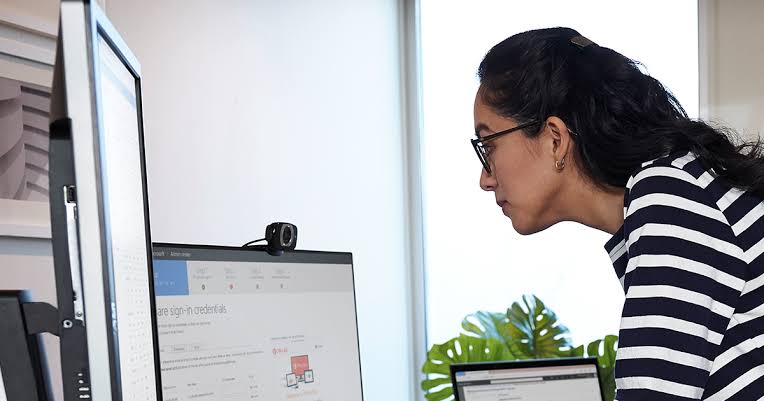
The average day of an IT technician does not look like what outsiders might think it is. There is no singular, dramatic crisis to fight through; there is only a constant flow of small problems, ongoing requests, each needing its characteristic balance of technical diagnosis and patient communication with remote desktop support, the workhorse doing most of the heavy lifting in the background. As soon as you start walking through what a real day like this looks like, it becomes obvious how core this capability has become to the role, and how much of the gig is really about people even more so than technology.
The Day Begins: Looking at the Queue
Most technicians start their shift by reviewing whatever came in overnight or accumulated since they last checked the queue. This might include a handful of password reset requests, a report of a slow computer, and maybe one more urgent issue flagged by a manager whose team can’t access a shared application. Triage happens almost immediately: which of these need attention right now, and which can wait until later in the day. You can learn more about the foundational capability underlying most of what follows through this overview of remote desktop support for IT technicians.
Why this early-morning sorting is more than what it seems. A first-come-first-served technician can both burn an hour on a non-ticket-priority task, while a bona fide ticket moves to the back of the line. By the time technicians reach a more senior or specialized level, they should have an instinct for prioritizing tickets based on how many people are affected and whether any of those people face an urgent disruption to their work.
The Day Starts With The First Remote Session
After you sort the queue, that is when the real troubleshooting begins and for most tickets this means MS-Remote Desktop-ing to the affected machine. For example, one common first session is when a user cannot open an application, and typically the tech’s first step would be to actually see what you are seeing rather than rely on a verbal description over the phone. During the session, the technician could look into current updates, check error logs or even test the system for themselves, to find out exactly what is occurring.
The pace here varies enormously. In some cases once the technician actually sees the screen, problems resolve in two to three minutes. Some are more labor-intensive and require escalating to a more senior technician, and some you need to research an unfamiliar error message. Whichever way, having the ability to dive right into the broken machine instead of working from a vague description on the phone makes a huge difference in how fast a technician can properly diagnose what is wrong.
Management of the human aspect is in charge of support
Much of a technician’s day isn’t really about technology at all; it’s about managing the person on the other end of the connection. Some users are anxious about having someone remotely access their machine and need reassurance about what’s happening and why. Others are frustrated, having already tried several things themselves before reaching out, and need to feel heard before they’re willing to follow new instructions. A widely referenced list of qualities of effective technicians emphasizes traits like patience, clear communication, and the ability to translate technical concepts into plain language as being just as essential to the job as raw troubleshooting skill.
The human dimension comes through during remote sessions again and again. Technicians working on someone else’s machine should describe what they are doing in understandable user speak, both out of courtesy and because users who understand the cause of their problems will not keep calling about similar stuff. Even technicians who know how to fix the technical issue perfectly tend to produce higher rates of repeat tickets and a more frustrated user/stakeholder base when this communication is treated as an afterthought.
The Inevitable Frustrations
No realistic look into technical support would be complete without acknowledging the friction inherent in the role. Users frequently struggle to accurately describe their technical issues either because they lack the technical vocabulary to explain the symptoms or because they’ve made an incorrect assumption about the root cause. PCMag’s industry breakdown of tech support dynamics serves as a great reminder that this frustration is a two-way street: users grow impatient with slow response times or feeling misunderstood, while technicians often battle fatigue from vague error descriptions and the difficulty of diagnosing intermittent problems.
While remote mouse and keyboard support tools cannot completely eliminate these communication barriers, they do significantly soften the impact. When a technician can directly see exactly what is occurring on a user’s screen, they waste far less time trying to decipher what a user means by “it doesn’t work.” This immediate, shared visibility bridges the gap, removing a massive source of mutual stress during live troubleshooting sessions.
Closing Out the Day
Typically, by the end of a shift, a tech has gone through a dozen or more tickets; some are mere two-minute fixes, while others are longer-term sessions involving real troubleshooting. The reason is that documentation should happen throughout the day instead of being left up to a single time at the end, as the details of an early-morning ticket may not be fresh by late afternoon! The end of the day often means one last review of what is still open, perhaps noting things that need to roll over and ensuring nothing important will be left unattended until the next shift or the next morning.
Frequently Asked Questions
How many remote support sessions can an average technician handle in a day?
While this differs greatly based on the organization and type of tickets you have, many technicians have anywhere between ten to twenty sessions in a standard day. Basic problems may take a minute to resolve, more complex ones can utilize most of the day.
What is remote desktop support and is it technically difficult to learn?
The how-to of setting up and using a remote session is generally simple and easy to learn. Access is one thing; the ability to make the relevant diagnosis and communicate that information effectively is an entirely different, harder-won skill, one that generally requires some practical experience rather than just classroom learning.
Does a technician need to combine remote help and in-person visits once sometimes?
Any hardware failures or physical connectivity issues that you could not remotely fix. A lot of technicians use remote sessions to first diagnose a problem even when in-person is eventually needed, because it saves valuable time diagnosing exactly what needs to be done on-site.