

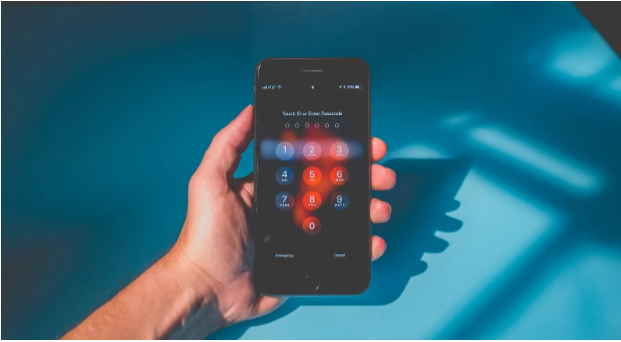
Smartphones have become central to daily life, carrying personal, financial, and professional information. As mobile usage grows, so does the risk of cyberattacks. Modern hackers use increasingly sophisticated techniques to target unsuspecting users, making proactive phone security more important than ever. This guide provides practical measures to help users strengthen their mobile protection and understand how to protect your phone from being hacked.
Rising Concerns About Phone Hacking
The number of phone hacking incidents continues to increase as cybercriminals take advantage of everyday digital activities. Mobile devices store large amounts of sensitive information, and once compromised, the consequences can be significant. Users may face privacy breaches, identity theft, unauthorized transactions, or misuse of personal data. Understanding the risks helps individuals recognize the importance of securing their devices.
This article outlines common hacking methods, essential security steps, and practical precautions to reduce vulnerability. It aims to guide users in recognizing threats and making informed decisions about their digital safety.
Why Phone Security Matters
Implications of Phone Hacking
A hacked phone can expose personal conversations, financial details, login credentials, and private files. The impact can extend beyond the device itself, affecting email accounts, banking platforms, and social media profiles. Even minor breaches can disrupt daily routines, while major ones may lead to long-term financial or legal issues.
Real-Life Examples
Many incidents reported worldwide show how easily hackers exploit weak passwords, outdated systems, or careless online behaviour. Cases involving malware-infected apps, phishing messages, and compromised Wi-Fi networks highlight how attackers gain unauthorized access with minimal user awareness. These situations illustrate the importance of adopting security measures before a breach occurs.
Understanding Hackers and Their Techniques
Types of Hackers
Hackers vary in motives and skill levels. Black-hat hackers seek financial gain or personal information, while gray-hat hackers operate between ethical and malicious intent. White-hat hackers, often cybersecurity experts, help strengthen systems by identifying vulnerabilities. Other groups, such as script kiddies, rely on basic tools created by more experienced hackers.
Common Hacking Methods
Cybercriminals typically use phishing messages, malware-loaded apps, social engineering, and software vulnerabilities to infiltrate phones. Phishing often appears as legitimate communication designed to trick users into sharing personal details. Malware can be embedded in third-party applications or unsafe downloads. Understanding these tactics helps users identify suspicious activity more quickly.
Essential Steps to Secure a Phone
Regular Software Updates
Keeping a phone’s operating system and applications updated is one of the simplest ways to improve security. Updates patch known vulnerabilities and provides stronger protection against evolving cyber threats. Delaying updates increases the risk of exploitation.
Strong and Unique Passwords
Using complex, unique passwords for device access and important accounts significantly reduces the chance of unauthorized access. Passwords should avoid personal information and rely on combinations of letters, numbers, and symbols. Password managers can help store and generate secure credentials.
Two-Factor Authentication (2FA)
Two-factor authentication adds a barrier to security by requiring a second form of verification, such as a text code or authentication app. Even if a password is compromised, 2FA makes it much harder for hackers to gain control of an account.
Reputable Antivirus Software
Reliable security applications can detect malware, block suspicious activity, and alert users to potential threats. These tools provide an added layer of protection against harmful downloads and unauthorized access.
Do’s and Don’ts of Phone Security
Safe Browsing Practices
Careful browsing helps prevent accidental exposure to malicious links or fraudulent websites. Users should avoid clicking unknown URLs, download files only from trusted sources, and adjust privacy settings on frequently used platforms.
App Management
Installing apps from official stores is essential. Reviewing app permissions helps ensure programs are not accessing unnecessary information. Regularly removing unused or suspicious apps reduces exposure to potential risks.
Public Wi-Fi Precautions
Public networks often lack strong security measures. When using them, users should avoid accessing sensitive accounts, disable automatic connections, and use a virtual private network (VPN) for encrypted browsing.
Data Backup and Encryption
Backing up data to secure cloud storage or external devices protects against data loss during a breach. Encryption ensures that even if a phone is compromised, the stored information remains difficult to access.
Additional Security Measures
Using a VPN
A VPN encrypts internet traffic and hides IP addresses, improving privacy and reducing exposure to network-based attacks. It is especially useful on public Wi-Fi connections.
SIM Card Lock
A SIM lock prevents unauthorized individuals from using the phone number for identity theft or fraudulent activities. It adds another safety barrier if the device is lost or stolen.
Factory Resets
Periodic factory resets can remove persistent malware or unwanted programmes. While this step erases personal data, it helps maintain overall device integrity when done with proper backups.
Responding to a Hacked Phone
Recognizing Warning Signs
A hacked phone may show unusual battery drain, unfamiliar apps, unexpected messages, or slow performance. These signs indicate that the device may be compromised.
Immediate Actions
Users should change passwords, enable 2FA, remove suspicious applications, and scan the device with antivirus software. Notifying relevant contacts and monitoring accounts helps reduce further damage.
Professional Assistance
If the issue persists or sensitive information has been exposed, consulting a cybersecurity professional ensures the device is properly restored and secured.
Can a phone be protected from hacking?
Yes. Using strong passwords, updating software, enabling two-factor authentication (2FA), avoiding unknown links, and installing security apps significantly reduces the risk.
Can users detect if their phones are hacked?
Unusual activity, excessive data usage, unrecognized apps, or unexpected pop-ups may indicate hacking.
Can hackers be removed from a phone?
Removing suspicious apps, changing passwords, running antivirus scans, or performing a factory reset can eliminate most threats.
Can users check if someone accessed their phone?
Reviewing recent activity, app history, and security logs can reveal unauthorised access.
Conclusion
Securing a smartphone requires consistent attention to digital habits, system updates, and proper use of security tools. As cyber threats continue to evolve, users benefit from staying informed and proactive. By following practical measures such as strong authentication, careful app management, and safe Internet practices, individuals can greatly reduce their exposure to cyber risks. With ongoing vigilance, users can maintain control of their devices and protect the personal information stored on them.