

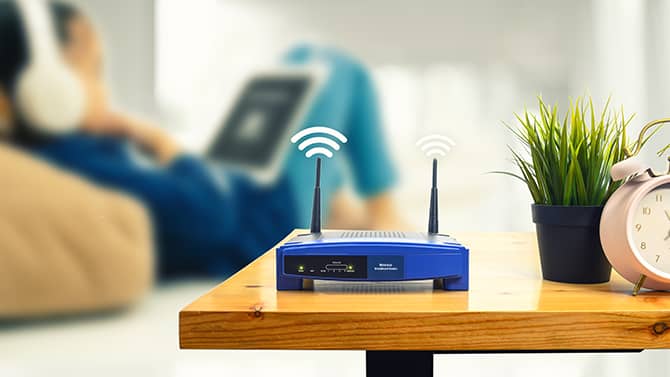
Securing your home network is essential when working remotely, as household Wi-Fi often becomes an extension of your workplace’s infrastructure. In 2026, threats such as weak router passwords, outdated firmware, unsecured IoT devices, and unencrypted connections can expose both personal and corporate data to sophisticated cyberattacks.
Strengthening your network involves more than just a strong password – it requires a layered defense strategy including WPA3 encryption, firmware maintenance, and network segmentation.
Strengthen Your Router Security
Your router is the gateway to your digital life. The first step in securing it is changing the default administrator credentials. Many hackers use databases of factory-set usernames and passwords to gain easy access to home networks. Once inside the admin panel, you should enable WPA3 encryption (the 2026 standard for wireless security), which provides more robust protection against “brute-force” password-cracking attempts than older protocols.
Additionally, disable “Remote Administration” features to ensure that your router’s settings can only be altered by someone physically connected to the network.
Keep Firmware and Devices Updated
Cybercriminals constantly hunt for “zero-day” vulnerabilities in router software and connected devices. Manufacturers release firmware updates specifically to patch these security holes. Set your router and computer to auto-update whenever possible to ensure you have the latest defenses as soon as they are available.
Don’t forget about smart home or IoT devices like cameras and thermostats – they often have weaker security and can serve as a backdoor into your network if their software is left to languish.
Use a VPN for Encrypted Remote Access
A Virtual Private Network (VPN) is a baseline requirement for remote work. A VPN protects data in transit by creating an encrypted tunnel between your device and the corporate server. It ensures that even if a bad actor intercepts your Wi-Fi signal, they see only unreadable, garbled code. For professionals who frequently switch between their laptops and mobile devices, securing cellular and tablet traffic is just as vital.
Using a free VPN for iPhone lets you maintain the same level of high-grade encryption for mobile email and Slack chats, providing a secure bridge to company resources regardless of the device you are using.
Segment and Monitor Your Network
One of the most effective security trends is network segmentation. Most modern routers enable you to create a guest network. By putting your work laptop on the primary network and moving your family’s smart TVs, gaming consoles, and guests to the secondary network, you isolate your professional data.
If a vulnerable smart lightbulb on the guest network is compromised, the attacker is sandboxed and can’t easily pivot to your work computer. Regularly review your list of connected devices in your router’s app to spot any uninvited guests early.