

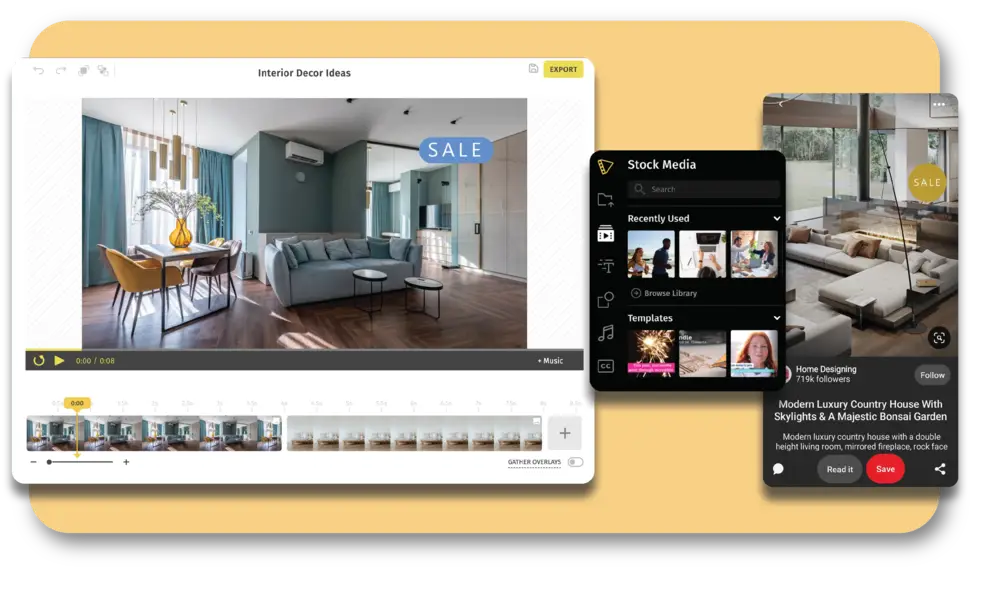
Creating a memorable event starts long before guests arrive. A well-crafted video invitation sets the tone, builds excitement, and gives people a reason to clear their calendar. Whether you are planning a birthday party, a wedding, a graduation celebration, or a corporate event, a video invitation delivers something a paper card simply cannot: movement, music, and personality. The good news is that you do not need to be a professional designer or video editor to pull it off. The right tools make it possible to add text, graphics, and sound effects to a polished video invitation in a matter of minutes.
Why Video Invitations Are Replacing Traditional Cards
There is a reason video invitations have become the go-to format for hosts who want to make a real impression. A static card can only do so much. A video invitation, on the other hand, can incorporate animated text, branded graphics, a curated music track, and even personalized voiceovers. It tells a story. It creates anticipation. And because it is digital, it can be shared instantly across text messages, email, and social media.
From intimate gatherings to large-scale events, video invitations are versatile enough to suit virtually any occasion. They are especially effective for events where the atmosphere matters, such as themed parties, milestone birthdays, holiday get-togethers, or anything where you want guests to feel the energy before they even walk through the door. The challenge is knowing how to build one that looks intentional and professional without spending hours learning complex software.
The sections below break down everything you need to know about creating a video invitation that resonates, including tips on text design, graphic overlays, sound, platform selection, and more.
Choose the Right Platform for Your Vision
Not every video invitation tool is built the same way. Some are built primarily for social media clips and lack the customization depth that a formal event invitation requires. Others are template-heavy but give you limited control over typography, transitions, or audio. Before you start building, it is worth understanding what features you actually need.
Look for a platform that offers layered editing, meaning you can control text, graphics, and audio independently rather than being locked into a preset template. The ability to upload your own assets, whether that is a photo of the venue, a custom logo, or a personal audio clip, is another important feature. Platforms that offer a library of licensed music, animated elements, and event-specific templates give you a solid starting point even if you have no design experience.
For a well-rounded, browser-based option, Adobe Express offers a purpose-built video invitation maker that lets you customize templates across a wide range of occasions. It includes access to licensed music, animated text options, graphic overlays, and an intuitive drag-and-drop interface that requires no prior design experience. It is especially useful for anyone who wants professional results without a steep learning curve.
Tips for Adding Text That Actually Gets Read
Keep Your Messaging Hierarchy Clear
Text is the most critical functional element of any invitation. Guests need to find the who, what, when, and where without having to pause and reread. That means establishing a clear visual hierarchy where the most important information is the largest and most prominent element on screen.
Start with the event name or guest of honor at the top of your visual hierarchy. Follow that with the date, time, and location. RSVP details and dress codes can appear at the end of the video, either in a final frame or as a brief text crawl. Avoid cramming too much into a single frame. It is better to spread information across multiple short scenes than to overload any one moment.
Use Animated Text to Add Energy
Static text works, but animated text brings the invitation to life. Simple entry animations, such as a fade-in, slide-up, or typewriter effect, add motion without overwhelming the viewer. Match the animation style to the tone of the event. A playful birthday party can use bouncy, colorful text animations. A formal wedding invitation calls for something elegant, like a slow fade or a serif font gliding into frame.
Most modern video invitation tools include preset text animations that you can apply with a single click. Even if you only animate the event name and the date, it makes the invitation feel dynamic and considered rather than flat.
Choose Fonts That Match Your Event Aesthetic
Font selection communicates tone before a single word is read. Script and serif fonts signal elegance and formality. Bold sans-serif fonts work well for modern parties or corporate events. Playful display fonts are great for children’s parties, casual get-togethers, or themed events.
Limit your invitation to two fonts maximum, one for headlines and one for supporting details. This keeps the design cohesive and avoids visual noise. Many invitation platforms include curated font pairings that take the guesswork out of the process, so you can focus on the content itself.
How to Use Graphics to Set the Scene
Start With a Template Designed for Your Occasion
Templates are not a shortcut. They are a starting point. A good template has already solved the hardest design problems, including layout, color balance, and visual flow. Your job is to make it yours. Swap in your own colors, update the placeholder text, and replace any generic imagery with photos or graphics that are specific to your event.
When choosing a template, look for one that matches the occasion. Most quality platforms organize their template libraries by event type: weddings, birthdays, baby showers, graduation parties, corporate events, holidays, and more. Starting with the right category saves you significant customization time and ensures the visual mood is already pointing in the right direction.
Layer Graphic Elements to Add Depth
A flat background with text does not make for a compelling video. Graphic overlays, whether they are illustrated icons, photo collages, color washes, or decorative borders, add visual richness and help guide the viewer’s eye. Think about layering: a textured background, a semi-transparent color overlay, your event details in animated text, and a decorative graphic element framing the composition.
For themed events, look for graphic assets that reinforce the concept. A tropical luau party benefits from illustrated palm leaves and bright gradient backgrounds. A black-tie gala looks stunning with gold foil textures and clean geometric framing. Most platforms include libraries of themed graphic elements that you can drag directly onto your canvas.
Use Consistent Color Throughout
Color consistency is one of the easiest ways to make a video invitation look professionally designed. Pick two or three colors and use them throughout: in the background, the text, the graphic accents, and any overlaid icons. If you are working from a color palette already tied to the event, such as wedding colors or a brand identity, enter those hex codes directly into your design tool so everything stays on theme.
Avoid using too many competing colors in a single frame. High contrast between text and background is essential for readability. Light text on dark backgrounds and dark text on light backgrounds are the two most reliable combinations regardless of the color scheme you choose.
Adding Sound Effects and Music to Your Video Invitation
Match the Audio Mood to the Event Tone
Audio is often the most emotionally powerful element of a video invitation, and also the most overlooked. The right music can make a guest feel excitement, warmth, or anticipation in seconds. A whimsical, upbeat track signals a fun and casual party. A lush orchestral piece sets the stage for a formal celebration. An energetic pop track works for milestone birthdays or graduation parties.
When selecting music, think about how the track will feel on the fifth replay. Guests who share your invitation widely will hear it multiple times, so choose something that stays enjoyable rather than something so trendy it feels dated in a week. Instrumental tracks are generally a safer choice than songs with lyrics, which can compete with any text on screen.
Use Sound Effects Strategically
Sound effects are different from music. They are short, punctual audio cues tied to a specific visual moment. A confetti burst paired with a popping sound effect, a clock ticking behind a countdown timer, or a gentle chime when the event details appear are all small details that make the invitation feel cohesive and intentional.
Use sound effects sparingly. One or two well-placed cues add polish. Too many competing sounds create chaos and distract from your message. The best video invitation tools let you layer audio, meaning you can have a background music track playing softly while a brief sound effect triggers on a specific frame.
Consider a Voiceover for a Personal Touch
For intimate events, a personalized voiceover can be more meaningful than any graphic or sound effect. Recording a short personal message and laying it over your video invitation adds warmth and personality that template text simply cannot replicate. A simple recording on your phone, cleaned up slightly with a free audio tool, can be uploaded directly into most invitation builders.
Keep voiceovers short: 15 to 20 seconds is usually enough. Introduce yourself, mention the occasion, and invite the listener to join you. Let the text and graphics on screen carry the logistical details.
Optimize Your Video Invitation for Sharing
Export for the Right Platform
A video invitation is only useful if it reaches your guests. Different platforms have different technical requirements. A video destined for Instagram Stories needs a vertical 9:16 aspect ratio. A video being emailed directly can be in standard 16:9 landscape. A video being texted should be compressed enough to send quickly without losing visual quality.
Before you finalize your design, decide where you will share it and adjust the dimensions accordingly. Many platforms let you resize your design with a single click and re-export in the correct format. If you are sharing across multiple channels, export separate versions for each rather than trying to force a single version to work everywhere.
Add a Call to Action in the Final Frame
The last thing your guests see should be an action step. This might be a link to your event page, an email address for RSVPs, or a simple message like “Save the date.” A final frame that includes your RSVP deadline and contact information ensures that anyone who watches all the way through has everything they need without having to go back and pause the video.
If you are using a platform that allows clickable links on exported videos, take advantage of that feature. A button that links directly to an RSVP form or a digital calendar invite removes friction for your guests and increases the likelihood that they will actually follow through.
Customizing Video Invitations by Occasion
Different events call for different design choices, and it is worth thinking through the specific visual and tonal requirements of your occasion before you start building.
For weddings and engagement parties, the tone is everything. Opt for elegant typography, soft color palettes, and cinematic transitions. Music should be romantic and understated. For children’s birthday parties, prioritize bright colors, playful animation, and fun sound effects that match the energy of the event. For corporate events and professional gatherings, keep the design clean, on-brand, and text-forward. Avoid anything that could read as too casual.
Holiday invitations, whether for a Christmas party, a Diwali celebration, or a Fourth of July cookout, benefit from season-specific graphic elements and culturally resonant design choices. Graduation parties can lean into school colors and achievement imagery. Baby showers and gender reveals can incorporate soft pastels or bold color surprises depending on the theme. The key principle across all occasions is that every design choice, from the font to the music to the graphics, should feel like it belongs together.
FAQ
What types of occasions work best for video invitations?
Video invitations work well for virtually any type of event, but they are especially impactful for occasions where atmosphere and anticipation matter. Weddings, birthday milestones, graduation celebrations, baby showers, holiday parties, and corporate events are all excellent candidates. Video invitations give hosts a way to communicate the tone and energy of an event before it begins, which can increase excitement and RSVPs compared to static digital or paper alternatives. They are also practical for events with geographically dispersed guests, since a video can be shared instantly across any platform or communication channel.
How long should a video invitation be?
The ideal length for a video invitation is between 30 and 60 seconds. This is enough time to convey all the essential event details, establish the visual and tonal mood, and include a clear call to action, without losing your viewer’s attention. Anything shorter than 20 seconds can feel rushed and may not give guests enough information. Anything longer than 90 seconds risks being skipped entirely, especially on mobile devices. If you have a lot of logistical information to share, consider including a link to an event page in your final frame and keeping the video itself focused on building excitement.
Can I add my own music to a video invitation, or do I have to use platform-provided tracks?
Most modern video invitation builders allow you to upload your own audio files in addition to accessing their built-in libraries. If you want to use a personal recording, a meaningful song, or a custom audio clip, check that the platform supports audio uploads in common formats like MP3 or WAV. However, be mindful of copyright. Using a commercially released song without a license in a video you share publicly, even for a personal event, can lead to the video being muted or removed on certain platforms. Community audio libraries like Freesound offer a large collection of free, Creative Commons-licensed music clips and sound effects that are safe to use across platforms and can be downloaded and dropped directly into your invitation builder.
What resolution and file format should I export my video invitation in?
For most sharing purposes, exporting in MP4 format at 1080p resolution gives you a good balance of quality and file size. MP4 is universally supported across platforms including email, messaging apps, and social media. If you are uploading to Instagram Reels or TikTok, a vertical format at 1080×1920 pixels is optimal. For email sharing, consider compressing the file to under 25MB, which is the attachment limit for most email clients. Some invitation platforms allow you to share a direct link to the video rather than attaching a file, which eliminates file size concerns entirely and allows the video to be viewed directly in a browser.
Are video invitations appropriate for formal events like weddings?
Absolutely. In fact, video invitations have become increasingly popular for formal events precisely because they allow couples and hosts to communicate elegance and sophistication in ways that static invitations cannot. A well-designed wedding video invitation can incorporate cinematic transitions, a classical or romantic music track, soft typography, and high-quality imagery of the venue or couple. The key is ensuring that the design choices align with the formality of the event. Avoid overly casual fonts, bright cartoon graphics, or novelty sound effects for formal occasions. Many couples choose to send a physical save-the-date first and follow up with a video invitation that gives guests a richer preview of the wedding’s aesthetic and atmosphere.
Conclusion
A video invitation is one of the most effective ways to set the tone for any event before it begins. By thoughtfully combining animated text, well-chosen graphics, and carefully selected music or sound effects, you can create something that feels personal, polished, and genuinely exciting to receive. The tools available today make this process accessible to anyone, regardless of design experience or budget.
The best video invitations are the ones that feel intentional. Every font choice, color decision, graphic element, and audio cue should serve the story you are telling about your event. Start with a strong template, customize it to reflect the occasion, and export it in the format that best fits how your guests will receive it. Whether you are planning an intimate gathering or a large celebration, a great video invitation gives your guests a reason to show up excited before the event even begins.