


Scroll through Instagram or TikTok for five minutes and you’ll notice something: certain creators seem to have cracked a visual code. Their Reels look cinematic, cohesive, and instantly recognizable — and they’re racking up millions of views. The good news? You don’t need a film school degree or a professional production team to replicate that look. You just need the right tool. That tool is reference to video AI.
What Is Reference-to-Video AI and Why Does It Matter?
Reference to video AI lets you feed a visual reference — an image, a frame, a mood board, or even a screenshot from a viral Reel — into an AI system, which then generates or transforms video content that matches the aesthetic, style, lighting, and color palette of that reference.
Think of it as giving the AI a creative brief through visuals rather than words. Instead of trying to describe “that warm, golden-hour, film-grain look from that trending travel Reel,” you just show it. The AI does the rest.
This matters because aesthetic consistency is one of the biggest drivers of virality. Audiences don’t just respond to content — they respond to a feeling. Reference to video AI lets you engineer that feeling with precision.
Step 1: Identify the Aesthetic You Want to Replicate
Before you open any AI tool, do your research. Spend time on the platform where you want to grow and create Reels that stop your scroll. Look for patterns across multiple viral videos in your niche.
Ask yourself:
- Color grading: Is it warm and golden, cool and desaturated, or high-contrast black and white?
- Lighting style: Soft natural light, harsh shadows, neon-lit interiors?
- Camera movement: Smooth handheld, slow zoom, static shots?
- Pacing and cuts: Fast and energetic, or slow and cinematic?
- Texture: Film grain, clean digital, vintage VHS?
Once you’ve identified the visual language of the aesthetic you want, screenshot or save 3 to 5 frames that best represent it. These become your reference inputs.
Step 2: Choose the Right Reference-to-Video AI Tool
Not all AI video tools are built the same. Some focus on text prompts, others on image-to-video, and the most advanced ones support true reference to video workflows — where your visual reference directly guides the output style.
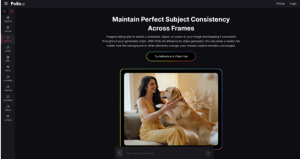
One tool worth adding to your workflow is Pollo AI. It supports reference-based video generation, making it straightforward to upload a visual reference and generate content that mirrors the look and feel you’re going for. It’s particularly useful for creators who want aesthetic consistency across multiple clips without spending hours on manual color grading or post-production. If you’re just getting started with reference to video AI, Pollo AI’s interface makes the learning curve manageable.
Step 3: Feed Your Reference Into the AI
Once you’ve chosen your tool, the process is more intuitive than most people expect.
- Upload your reference frame or image
- Add a text prompt that describes the content of the video you want (the subject, the scene, the action)
- Let the AI blend your content prompt with the visual style of your reference
- Generate multiple variations and compare results
The key here is to separate style from content in your thinking. Your reference handles the style. Your prompt handles the content. When both are clear, the output is far more precise.
Step 4: Refine and Iterate
First generations are rarely perfect. Treat them as drafts, not final products. Here’s how to refine effectively:
- Adjust prompt specificity: If the output is too generic, add more detail about lighting, mood, or camera angle in your text prompt.
- Swap reference frames: Try a different screenshot from your saved references to shift the color temperature or texture.
- Layer multiple references: Some tools allow you to blend two references — useful if you want the color palette of one viral reel and the camera movement style of another.
- Upscale before posting: Run your final output through an upscaling tool to ensure it meets platform resolution standards without losing the aesthetic detail.
Step 5: Build a Reusable Aesthetic System
Here’s where most creators leave value on the table. Instead of using reference to video AI for one-off clips, build a system.
Save your best-performing reference frames into a personal mood board. Document which prompts produced the strongest results. Over time, you’ll develop a repeatable workflow that generates aesthetically consistent content in a fraction of the time — which is exactly what high-output viral creators are doing behind the scenes.
Consistency is what turns a good video into a recognizable brand.
Inspiration vs. Imitation
It’s worth being clear about one thing: reference to video AI should be used to inspire your aesthetic direction, not to copy specific creators’ content or intellectual property. Using the visual language of a trend — warm tones, a particular editing rhythm, a lighting style — is fair game. Replicating someone’s exact footage or unique creative signature crosses a line.
Use these tools to find your own version of what’s working, not to clone someone else’s work.
Final Thoughts
Viral aesthetics aren’t accidents — they’re systems. And reference to video AI gives independent creators access to the same kind of visual precision that used to require an entire production team. By identifying the right references, choosing capable tools like Pollo AI, and building a repeatable workflow, you can close the gap between where your content looks now and where you want it to be.
The aesthetic you’ve been admiring in other people’s Reels? It’s more within reach than you think.