

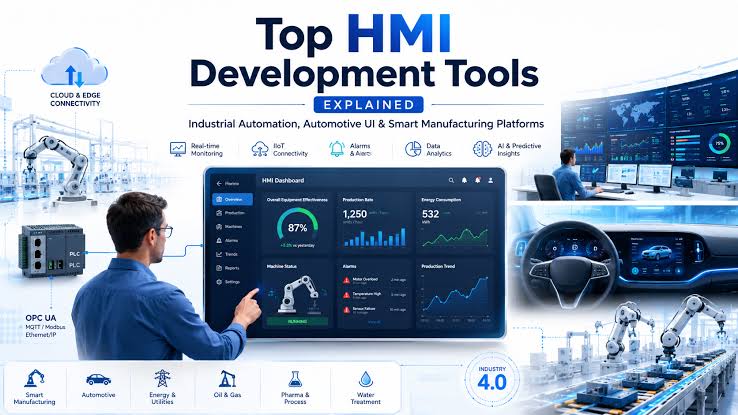
For a safety-critical embedded program, selecting an HMI tool is not simply a design decision. It can affect runtime behavior, hardware compatibility, verification effort, certification readiness, development schedules, and long-term maintainability.
A polished prototype can still create risk if it must be rebuilt for production hardware or gives engineers limited visibility into the generated software. The right HMI development tool should help teams move from interface design to deployed embedded software while maintaining control over performance, source code, integration, and safety objectives.
At DiSTI, we believe the evaluation should begin with the target system—not the demonstration.
What Is an HMI Development Tool?
An HMI development tool is a software environment used to create the graphical interface through which an operator monitors or controls a machine or system. This may include cockpit displays, digital instrument clusters, medical device screens, industrial controls, warnings, gauges, and system-status indicators.
Effective HMI development software goes beyond drawing screens. It should help teams define behaviors, connect interface objects to system data, generate or integrate software, test the interface on target hardware, and prepare it for production.
For embedded programs, the platform must also account for processor capacity, memory, startup time, graphics support, operating-system constraints, and the required assurance level. These needs distinguish purpose-built embedded HMI software from a general-purpose UI design application.
What Is Safety-Critical HMI Development?
Safety critical HMI development involves creating an interface where incorrect, delayed, missing, or unpredictable information could contribute to an unsafe condition.
Visual quality matters, but it must be supported by predictable behavior, a controlled software architecture, and evidence that supports verification and certification.
DiSTI offers GL Studio® Safety-Critical for avionics, aerospace, medical, automotive, and nuclear applications. Its published offering includes a safety-critical development tool, code generator, certification artifacts, a built-in safety-critical GUI pack, source code for testing and verification, and specialized support.
How Is Safety-Critical HMI Software Different From Standard HMI Software?
General HMI platforms often prioritize appearance, interaction, and rapid development. Those capabilities remain valuable, but safety-critical GUI development adds requirements that a general-purpose framework may not address.
Engineering teams may require:
- Predictable runtime behavior
- Reviewable generated code
- Runtime-library source access
- Certification or qualification artifacts
- Early testing on production hardware
- Separation of safe and non-safe content
- Support for applicable industry standards
A conventional embedded GUI development tool may work for a noncritical display. It should not automatically be assumed suitable for a cockpit, medical system, vehicle warning interface, or regulated control application.
Suitability must be evaluated against the architecture, hardware, assurance level, and certification strategy of the specific program.
How Do You Choose an HMI Development Tool?
The best HMI development tool is not necessarily the one with the longest feature list. It is the platform that fits the target architecture, supports the required evidence, performs reliably on production hardware, and reduces avoidable rework.
Before comparing HMI software tools, define:
- Safety classification and applicable standards
- Target processor, GPU, display, and operating system
- Memory, startup, and performance limits
- Required graphics and data-integration capabilities
- Source-code and verification needs
- Mixed-criticality requirements
- Expected product lifecycle
Once these requirements are clear, evaluate the following capabilities.
1. Hardware and Operating-System Compatibility
An HMI development platform should support the intended processor, graphics environment, display, and operating system—or provide a practical route for porting.
Confirm the exact hardware and software combination rather than assuming support based on a processor family. Determine whether the application requires a GPU or OpenGL-capable device, how much memory the runtime needs, and whether the interface can be maintained if hardware changes.
GL Studio supports a range of embedded platforms, and DiSTI works with teams to assess target combinations and porting requirements not shown on its published platform list.
Hardware portability is especially important for programs with long development and operational lifecycles. A processor change or platform update should not automatically require the entire HMI to be rebuilt.
2. Runtime Performance and Predictability
A desktop prototype does not prove that an interface will perform correctly on production hardware.
Test the HMI using representative graphics, live data, expected update rates, and realistic system loads. Measure startup time, memory use, CPU utilization, rendering behavior, input response, and the timely presentation of critical information.
GL Studio is engineered for embedded HMI development and provides native C++ output, embedded hardware integration, and a scalable architecture intended for visually rich interfaces on constrained targets.
The key is to validate the application on the intended target early enough to influence the architecture.
3. Code Generation and Source-Code Access
Code generation can reduce the work required to translate an approved interface into production software. Teams should still examine whether the output can be reviewed, integrated, and verified.
Ask what language is generated, whether the code is readable and traceable, how behaviors and data interfaces are represented, whether runtime source is available, and what evidence supports verification.
GL Studio uses a C++ code-generator and runtime-library approach. For safety-critical applications, DiSTI states that source code is available for testing, validation, and verification, alongside safety-critical code generation and certification artifacts.
An HMI tool does not certify an entire end system. Certification remains a program-level responsibility involving the intended function, software, hardware, development process, and supporting evidence.
The tool should support that work without creating an opaque software layer that engineering and certification teams cannot adequately evaluate.
4. Functional Safety and Certification Support
The applicable standards vary by industry.
DiSTI identifies GL Studio Safety-Critical support for:
- DO-178C up to DAL A and DO-330 for avionics applications
- ISO 26262:2018 up to ASIL D for automotive applications
- IEC 62304 for medical-device software
- NQA-1 and IEC 60880 for nuclear applications
Teams should determine exactly what is supplied, including:
- Safety-critical runtime library
- Code generator and qualification support
- Certification and verification artifacts
- Runtime source code
- Test or coverage evidence
- Safety-critical components
- Integration and certification support
Avoid relying only on the broad question, “Is the tool certified?”
Identify which component, workflow, library, or artifact applies to the program’s assurance level and certification plan. This distinction helps engineering teams understand what the platform provides and what remains their responsibility.
5. Mixed-Criticality Development
Modern displays increasingly combine information with different levels of safety significance.
An automotive cockpit may show safety-related warnings alongside navigation or media. An avionics display may combine critical flight data with noncritical information.
GL Studio Mixed-Criticality™ enables Safety-Critical and Embedded Systems content to be developed within the same design file through a unified workflow. DiSTI states that the workflow automates the partitioning of safe and non-safe content and supports deployment to target hardware through OneTouch Deployment™.
When assessing mixed-criticality support, examine how content is:
- Classified
- Separated
- Generated
- Integrated
- Deployed
- Verified
The goal is not merely to place content with different safety levels on one screen. It is to preserve the architectural controls required by the system while reducing unnecessary duplication in the development workflow.
A Clear Path From Prototype to Production
One of the most expensive HMI problems occurs when a prototype must be rebuilt for the embedded target.
This often happens when the original tool cannot support the production operating system, performance constraints, code-generation requirements, or certification workflow.
Teams may then need to recreate graphics, rewrite behaviors, repeat integration, and validate a second implementation.
GL Studio is designed for use from initial prototyping to deployment on an embedded target. Its workflow emphasizes reusable objects, target-device testing, C++ code generation, and deployment without moving the project into an unrelated production framework.
A production-oriented prototype should confirm that the target can:
- Render the required content
- Operate within memory and CPU limits
- Integrate live system data
- Maintain responsive interactions
- Carry approved assets into production
- Support the required verification activities
Answering these questions early reduces the risk of late-stage redesign, duplicated development work, and costly changes to the underlying system architecture.
HMI Development Tool Evaluation Checklist
Before selecting a platform, confirm that it can:
- Support the target processor, display, graphics architecture, and operating system
- Operate within defined memory, startup, and performance limits
- Create the required 2D and 3D content
- Connect reusable objects and behaviors to live data
- Generate deployable and reviewable code
- Provide the source and evidence required by the program
- Support applicable functional-safety standards
- Separate safety-critical and non-safety content where required
- Test representative content on target hardware
- Carry approved assets from prototype into production
- Support future hardware changes and long product lifecycles
This evaluation should involve software engineers, system architects, UI designers, safety teams, and certification stakeholders. Selecting a platform based only on design convenience can leave critical production and compliance requirements unresolved.
Why Engineering Teams Evaluate GL Studio
GL Studio is DiSTI’s C++-based HMI development platform for embedded and mission-critical applications.
Its published capabilities include native C++ output, reusable interface objects, embedded hardware integration, 2D and 3D development, target deployment, safety-critical code generation, source-code availability, certification artifacts, and Mixed-Criticality workflows.
It is designed for applications such as cockpit displays, instrument clusters, head-up displays, infotainment and navigation systems, medical interfaces, industrial controls, and defense systems.
The value is not simply the ability to create a richer screen. It is the ability to develop the interface with production performance, functional safety, and long-term maintainability in mind from the beginning.
Evaluate GL Studio for Your Safety-Critical HMI Program
Your HMI platform should be selected for what it can reliably deliver on the production target—not only for what it can demonstrate on a development workstation.
DiSTI can help your team evaluate GL Studio against your hardware, operating environment, interface architecture, performance constraints, mixed-criticality needs, and functional-safety objectives.
Discuss your safety-critical HMI requirements with DiSTI and determine whether GL Studio is the right development foundation for your program.