

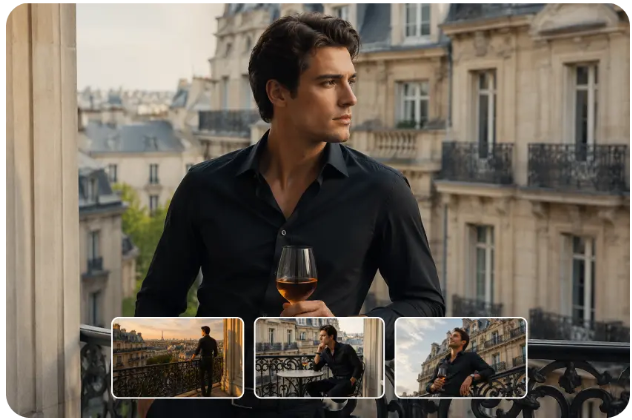
Creating a compelling video is not always about having an expensive camera or a professional production team. Sometimes, the biggest challenge is finding a way to communicate an idea visually. A small business owner may want to demonstrate a product, a teacher might need an engaging explanation of a scientific process, or an independent filmmaker could be exploring a scene that is difficult to record in real life. A free ai video generator offers a practical starting point for these situations by helping creators transform written descriptions or supported image inputs into moving visuals.
This technology is changing how people approach the early stages of video production. Instead of arranging every detail before testing an idea, creators can experiment with different scenes, visual styles, and movements to discover what works best. For example, someone developing a travel campaign could explore a sunrise over a mountain village, while an online retailer might create a conceptual scene that presents a product in an appealing setting. These experiments can help clarify the creative direction before additional time and resources are invested.
However, useful video content requires more than movement on a screen. Every scene should have a purpose, whether it is explaining a process, creating an emotional response, or helping an audience understand a product. The strongest results come from combining clear instructions with thoughtful editing and a realistic understanding of what AI-generated footage can achieve. Exploring practical applications makes it easier to see where this technology can contribute genuine value.
Turning Written Ideas Into Moving Visual Concepts
A written description allows people to imagine a scene, but a moving visual can make that idea easier to evaluate and communicate. AI video generation provides a way to explore the relationship between a subject, its environment, and the movement taking place around it.
Imagine a writer developing a short story set in an old coastal town. The original idea might describe fishing boats moving across the water while morning fog gradually lifts above the harbor. A generated clip could help establish the atmosphere of this setting and give the writer a visual reference for the story. Although the result may need refinement, it provides a more concrete starting point than a written description alone.
The same process can support advertising concepts, presentations, and personal creative projects. A designer can test whether a scene feels calm or energetic, whether the main subject attracts enough attention, and whether the camera movement supports the intended message. These early experiments help creators make decisions before developing a complete video.
Practical Use Cases Across Different Industries
1. Small Business Marketing and Product Promotion
Small businesses often need fresh visual content for social media, websites, and promotional campaigns. Traditional video production can be expensive when it requires locations, actors, lighting equipment, or repeated filming sessions.
AI-generated video can help businesses explore promotional ideas before committing to a larger campaign. For example, a coffee shop owner could develop a concept showing steam rising from a freshly prepared cup beside a sunlit window. A skincare business might explore a calm, nature-inspired visual style for an upcoming product announcement.
These clips can support mood boards, campaign drafts, and selected promotional content. However, businesses should avoid presenting generated product appearances as accurate demonstrations when the visuals do not match the real item. Authentic product details remain important for customer trust.
2. Education and Online Learning
Educational content often becomes more engaging when students can see a process rather than only read about it. Teachers and course creators can use generated scenes to illustrate hypothetical situations, introduce difficult concepts, or add visual variety to presentations.
For instance, a science educator could develop a conceptual video showing the movement of planets around the Sun. A geography instructor might explore how clouds gather above a mountain range before rainfall begins. Such visuals can help introduce a topic and encourage discussion.
Generated scenes should not automatically be treated as scientifically accurate demonstrations. Important measurements, physical processes, and factual details should be verified against reliable educational resources before the material is used for instruction.
3. Social Media Content for Independent Creators
Creators who publish regularly often face the challenge of finding new ways to present familiar topics. Short AI-generated scenes can provide visual variety for storytelling videos, introductory sequences, and thematic posts.
Consider a creator preparing a video about building better daily habits. Rather than relying entirely on talking-head footage, they might develop supporting scenes of a person organizing a desk, preparing a morning routine, or walking through a peaceful park. These visuals can help establish the mood while the creator provides the actual advice.
The most effective approach is to use generated footage where it supports the message. Random visual effects may attract attention briefly, but relevant scenes are more likely to help viewers understand and remember the subject.
4. Real Estate and Interior Design Concepts
Property professionals and interior designers frequently need to communicate how a space might look or feel after planned improvements. AI-generated video can help explore atmosphere, lighting, and broad design directions during the concept stage.
For example, an interior designer could test a visual concept involving a minimalist living room with warm lighting, natural wood, and large windows. A property marketing team might explore a cinematic introduction to a neighborhood or a conceptual scene showing a landscaped outdoor area.
Such material should be clearly distinguished from actual property footage. Generated visuals may not accurately represent dimensions, construction details, or the finished condition of a real building. They are most appropriate as illustrative concepts unless verified against the actual property.
5. Storytelling, Short Films, and Creative Experiments
Independent filmmakers and writers can use AI-generated clips to explore scenes that would otherwise require specialized locations, elaborate sets, or complex visual effects. This can be particularly useful during brainstorming and pre-production.
For example, a filmmaker planning a science-fiction story could test the atmosphere of an abandoned space station, a futuristic city, or a fictional landscape before deciding which scenes deserve further development. A fantasy writer might use similar visuals to explore the mood of an imagined kingdom.
These experiments can help establish visual direction, but continuity still requires attention. Characters, clothing, lighting, and surroundings may change between generated clips. Careful selection and editing are necessary when multiple scenes need to appear as parts of the same story.
Writing Video Prompts That Communicate Clear Actions
A video prompt needs to explain not only what appears in the scene but also what happens during the clip. A description that focuses entirely on appearance may produce an attractive frame without the movement required for the intended purpose.
A practical prompt should identify the main subject, describe the environment, specify one clear action, and establish the desired visual style. Camera direction and lighting can provide additional guidance when they matter to the scene.
For example, a basic prompt might request a bird near a lake. A more developed version could describe a white bird gliding slowly above a calm lake at sunrise, with gentle ripples on the water and a gradual camera movement following its flight. The second description communicates both the visual setting and the action.
Creators should avoid including too many unrelated events in a short clip. If a scene requires several different actions, it may be more effective to generate separate shots and combine them during editing. This provides greater control over pacing and makes individual problems easier to correct.
Choosing the Right Visual Style for the Intended Audience
The appearance of a video influences how viewers interpret its message. A realistic style may suit a product concept or a documentary-inspired scene, while animation can make an educational explanation feel approachable. A cinematic treatment may be appropriate for a dramatic story, but it could distract from a straightforward instructional video.
Tools such as Dreamina can be explored as part of a workflow for developing video concepts from written descriptions or supported image inputs. The best approach is to choose a style that supports the purpose of the project instead of selecting effects simply because they look impressive.
Consistency is particularly important when a video contains several clips. Similar lighting, color choices, camera movement, and visual treatment can help different scenes feel connected. If the clips vary too much, the final result may feel fragmented even when each individual shot looks appealing.
Reviewing Generated Clips Before Publishing
AI-generated video should be checked carefully before it becomes part of a finished project. Objects may change shape during movement, backgrounds can become inconsistent, and subjects may behave in physically unusual ways. These problems are sometimes less noticeable in a single frame than they are when watching the complete clip.
A practical review should consider whether the main action is understandable, whether the movement looks natural for the chosen style, and whether important visual details remain consistent. Creators should also check whether the clip has the correct aspect ratio, resolution, and duration for the intended platform.
Sound, captions, and transitions may need to be added separately. If the video contains factual claims or represents a real product, location, or event, those details should be checked before publication. Creators should also review the platform’s current usage terms, particularly when the video is intended for commercial purposes.
Building an Efficient Workflow From Idea to Final Video
A repeatable workflow can make AI video creation more manageable. Begin by defining the message the video needs to communicate and identifying the audience it is intended to reach. Next, outline the scene in simple language and determine what movement will help express the idea.
Generate an initial clip and evaluate its strengths and weaknesses. If the movement is unclear, simplify the action. If the atmosphere is wrong, adjust the lighting or visual style. When a project requires multiple scenes, create a basic sequence plan so each clip contributes to the same overall narrative.
After selecting suitable footage, refine the result through editing. This may involve trimming unnecessary moments, arranging shots in a logical order, adding narration, and including captions or music where appropriate. The finished video should be reviewed as a complete experience rather than judged solely on the quality of its individual clips.
Keeping successful prompts and recording useful adjustments can also help creators improve future projects. Over time, this process makes experimentation more organized and helps identify which techniques work best for different types of content.
Final Thoughts
AI video generation is creating new opportunities for businesses, educators, writers, and independent creators to explore visual storytelling without beginning every project with a traditional production setup. From product concepts and learning materials to social media content and fictional scenes, it offers a flexible way to test ideas and develop moving visuals.
Its greatest practical value comes from matching the technology to a clear purpose. Thoughtful prompts establish direction, relevant examples guide creative decisions, and careful editing helps turn individual clips into coherent communication. By combining experimentation with human judgment, creators can use AI-generated video as a useful part of their production process while maintaining accuracy, consistency, and trust.
Frequently Asked Questions
1. What can a free AI video generator be used for?
It can help explore promotional concepts, educational visuals, social media clips, fictional scenes, and other creative projects. Available features and free usage limits depend on the specific platform.
2. Can AI-generated videos help small businesses?
Yes. Businesses can use them to explore campaign ideas, develop visual concepts, and create supporting content. Generated visuals should not misrepresent actual products, services, or locations.
3. How can I make AI-generated video more realistic?
Use specific prompts, describe one main action clearly, and provide relevant details about lighting, environment, and camera movement. Review the resulting clip and refine it when movement or visual consistency is poor.
4. Can AI video generation be used for educational content?
Yes, particularly for illustrative scenes and introductory explanations. Scientific, historical, and other factual details should be verified before the video is used as educational material.
5. Why do generated video clips sometimes look inconsistent?
The system may struggle to maintain the exact appearance of objects, characters, or environments throughout a sequence. Simpler actions, careful prompt refinement, and selective editing can help manage these limitations.
6. Should AI-generated video be edited before publication?
Usually, yes. Reviewing movement, trimming unnecessary sections, adding captions or narration, and checking visual accuracy can make the final video more useful and professional.