

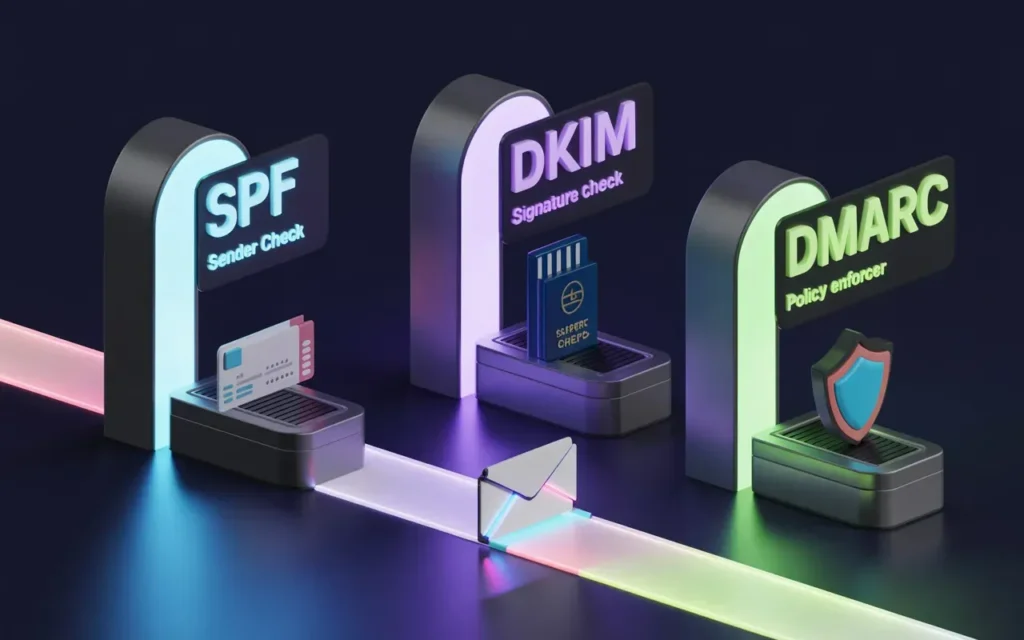
The bulk-sender rules that Google and Yahoo introduced in February 2024 have stopped being a deadline and settled into routine enforcement. Both providers now expect any domain sending roughly 5,000 or more messages a day to personal inboxes to authenticate with SPF and DKIM, publish a DMARC record set to at least p=none, and align at least one of those methods with the visible From address.
Microsoft extended a comparable mandate to Outlook.com, Hotmail.com, and Live.com on May 5, 2025, so the three largest consumer mail platforms serving U.S. recipients now read from the same playbook.
By late 2025, Google had moved past soft warnings and begun rejecting non-compliant mail outright. The practical consequence for marketing, sales, and operations teams is straightforward: a missing or sloppy DMARC record no longer just lands you in spam. It can keep your mail out of the inbox entirely. That has raised the stakes on getting the records right, and it explains why generators and validators, once a niche concern for mail administrators, have become standard equipment. This guide compares the tools worth knowing in 2026.
SPF, DKIM, and DMARC explained
SPF (Sender Policy Framework) is a DNS TXT record that lists the servers and IP ranges allowed to send mail for a domain. A receiving server checks that record against the connecting IP and the Return-Path (RFC5321.MailFrom) domain.
Every SPF record ends with an “all” mechanism: ~all signals a soft fail, while -all is a hard fail that tells receivers to treat any unlisted source as unauthorized. SPF also carries a hard limit of 10 DNS lookups, and records that chain too many include: statements break silently once they cross it.
DKIM (DomainKeys Identified Mail) attaches a cryptographic signature to outgoing message headers. The receiving server retrieves the matching public key, published as a TXT record at a selector such as selector._domainkey.yourdomain.com, and confirms that the signed parts of the message were not altered in transit.
Because DKIM proves a message genuinely came from the signing domain and arrived intact, it tends to be the more durable of the two alignment methods when mail passes through forwarders.
DMARC (Domain-based Message Authentication, Reporting and Conformance) sits on top of the other two. Published as a TXT record at _dmarc.yourdomain.com, it tells receivers what to do when a message fails authentication and where to send reports. The policy tag p= accepts three values: none for monitoring, quarantine to route suspect mail to spam, and reject to block it.
Supporting tags refine the behavior. sp= sets a separate policy for subdomains, pct= applies the policy to a share of mail during rollout, and rua= names the address that receives the aggregate XML reports. The adkim and aspf tags control whether alignment is strict (s) or relaxed (r), with relaxed being the DMARC default.
Why generators and validators matter for email security
A DMARC or SPF record is a single line of text, which makes it deceptively easy to write by hand and just as easy to break. A stray semicolon, a duplicated tag, an SPF record that quietly passes the 10-lookup ceiling, a rua address with a typo: any of these can fail without throwing an obvious error. Often the only symptom is mail that stops arriving.
Generators cut that risk by assembling the syntax for you and checking it against the relevant RFCs before you publish. Validators work in the other direction. They read what is already live in your DNS and flag the gaps, such as a policy stuck at p=none with no reporting configured, or an SPF record that authorizes more sources than it should.
Most teams end up using both, a generator to build the record and a validator to confirm that receivers see what was intended. The reporting side matters most after publication, because aggregate reports are the only reliable way to learn which services are sending under your domain before you tighten the policy toward quarantine or reject.
The comparison: DMARC generators and validators
The field splits roughly into two camps. Free generators and lookup tools handle setup and spot checks, while monitoring platforms ingest the aggregate reports and turn them into a picture of who is sending on your behalf over time.
Here is how five widely used options stack up.
| Tool | Free tier | Record generator | Report monitoring | Paid entry point | Best fit |
| Warmy DMARC generator | Yes, no account | Yes, guided wizard | No | Free | Fast, guided record creation |
| MXToolbox | Yes, SuperTool lookups | Validation focused | Paid only | ~$129/mo (Delivery Center) | Ad hoc diagnostics, single domain |
| EasyDMARC | 1,000 msgs/mo, 1 domain | Yes | Yes | ~$35.99/mo (Plus) | Visual dashboards, growing teams |
| Postmark DMARC Digests | Yes, weekly email | No | Email digest free, dashboard paid | ~$14/mo per domain | Small senders wanting readable reports |
| dmarcian | 1,250 msgs/mo, 2 domains | Yes | Yes | ~$19.99/mo (Basic, annual) | Technical teams needing deep forensics |
Warmy.io
Warmy, the email deliverability and email warm up platform, offers a free DMARC record generator that runs as a short guided wizard. You enter the domain, pick the sending provider, add a reporting address, and the tool returns a publish-ready record with each tag explained as you move through it.
There is no account or paywall, which makes it a quick option for teams that want a valid record plus a plain-language reference for what v, p, rua, sp, adkim, and aspf actually do.
It sits alongside a free SPF generator in the same toolset. The trade-off is scope: it builds and explains records rather than parsing ongoing DMARC reports, so it fits the setup stage better than long-term monitoring.
MXToolbox
MXToolbox is the veteran diagnostic site. Its free SuperTool runs instant lookups for MX, SPF, DKIM, and DMARC records and checks a domain or IP against more than 100 blacklists.
The DMARC and SPF checkers validate syntax and flag common faults, including SPF records that exceed the 10-lookup limit. Continuous monitoring and a guided setup wizard live behind the paid Delivery Center, which starts around $129 a month.
EasyDMARC
EasyDMARC offers a broad set of free generator and checker tools (DMARC, SPF, DKIM, and BIMI) that work without an account, plus a free monitoring plan capped at 1,000 messages a month on a single domain with 14 days of history.
Paid tiers begin near $35.99 a month for two domains and 100,000 messages, with a Premium tier around $71.99 a month that extends retention to a full year. Its EasySPF feature addresses the 10-lookup problem through flattening and hosted SPF.
Postmark
Postmark runs a free DMARC monitoring service, originally launched as DMARC Digests, that emails a weekly summary of your authentication results. You do not need a Postmark sending account to use it, and there is nothing to log into.
The premium DMARC Digests product, from about $14 a month per domain, adds a web dashboard and 60 days of report history. The free tier suits low-volume senders who want readable reports without a console, with two caveats: there is no real-time view between weekly emails, and the setup flow may prompt you to add a DMARC record without first checking whether one already exists.
Dmarcian
Dmarcian offers the deepest source classification and forensic analysis on this list, with a learning curve to match. The free Personal plan covers up to 1,250 messages a month across a maximum of two non-business domains.
Paid plans start near $19.99 a month billed annually for 100,000 messages and scale toward roughly $499 a month at the Enterprise level, where SSO and API access become available. Pricing is keyed to the volume of legitimate traffic reported back through DMARC.
The comparison: SPF generators
SPF records are shorter than DMARC records, but the 10-lookup limit makes them easy to outgrow once a domain adds a CRM, a help desk, an ESP, and a transactional provider.
A handful of free tools cover both building and checking:
- Warmy’s SPF generator builds a record from your sending sources and is useful for a first pass when standing up a new domain.
- EasyDMARC’s free SPF checker validates an existing record and reports include chains, while its paid EasySPF feature flattens records that approach the lookup ceiling and hosts them so you stop editing DNS by hand.
- MXToolbox’s SuperTool remains the fastest way to run a one-off SPF lookup, with a spf: prefix that surfaces syntax errors and counts the DNS lookups for you.
- Kitterman SPF tool is the long-running option for administrators who want a strict, RFC-accurate validation, testing a record exactly as a receiving server would parse it.
In practice, a generator gets the first record live, and a checker confirms it stays under the lookup limit as your stack expands.
Implementation pitfalls
The most common mistakes are simple ones. Teams forget subdomains, so the main domain is protected while a mail. or marketing. subdomain stays open to spoofing. An explicit sp= policy closes that gap. DKIM often breaks because the selector in DNS no longer matches the one the sending platform signs with, which is easy to miss after switching providers.
The biggest mistake is setting a record and then forgetting it. A DMARC policy left at p=none only watches for spoofing without ever blocking it. The real protection comes from reading the reports and moving the policy from none to quarantine and finally reject, and that is the step most people skip.
SPF has its own traps. Records fail quietly once include: chains push past the 10-lookup limit. Going the other way is risky too: jumping straight to p=reject before you have confirmed every legitimate sender will bounce real mail. Use pct= to roll the policy out gradually, and confirm a clean reporting period before you tighten it.
Conclusion
The right setup depends on where your sending program stands. A small team just getting compliant can go a long way with a free generator to build the record and a weekly report to watch traffic before tightening the policy.
As email volume grows across more domains, it becomes worth paying for a platform with a live dashboard, alerting, and SPF flattening, with the understanding that cost rises alongside volume and domain count.
Larger senders with complex infrastructure, or anyone facing a compliance audit, need deeper forensic reporting to see every source clearly. Whatever the scale, a quick lookup tool stays useful for checking a single record on demand.