

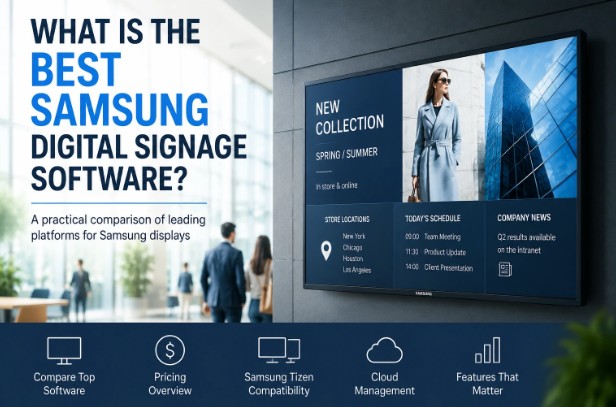
Samsung commercial displays are widely used in retail stores, corporate offices, restaurants, healthcare facilities, schools, and transportation hubs. While the displays themselves are important, the software that manages content often has a bigger impact on daily operations.
The best Samsung digital signage software depends on your business size, budget, and technical requirements. Some organizations need advanced enterprise tools, while others prioritize ease of use and affordable pricing.
This guide compares some of the most popular options available for Samsung digital signage displays.
What Should You Look for in Samsung Digital Signage Software?
Before choosing a platform, consider the following factors:
– Compatibility with Samsung Tizen displays
– Remote content management
– Content scheduling
– Multi-screen management
– User-friendly interface
– Cloud-based deployment
– Pricing transparency
– Scalability for multiple locations
Many modern platforms support Samsung’s Tizen operating system directly through a dedicated Samsung Tizen signage player, eliminating the need for external media players in many deployments.
Samsung Digital Signage Software Comparison
| Feature | MagicINFO | BuzzBlender | ScreenCloud | Yodeck | BrightSign + BSN.Cloud |
| Starting Price | Custom quote | $5/screen/month | From ~$20/screen/month | From ~$8/screen/month | Custom quote + hardware |
| Samsung Tizen Support | Native | Yes | Yes | Partial | Limited |
| Cloud Management | Yes | Yes | Yes | Yes | Yes |
| Content Scheduling | Yes | Yes | Yes | Yes | Yes |
| Multi-Location Management | Yes | Yes | Yes | Limited | Yes |
| Ease of Setup | Medium | Easy | Easy | Easy | Medium |
| Best For | Large enterprises | SMBs and growing businesses | Internal communications | Small businesses | Complex enterprise deployments |
| Hardware Required | No | No | No | Often no | Usually yes |
| Learning Curve | Higher | Low | Low | Low | Medium |
| Main Strength | Samsung ecosystem integration | Simplicity and affordability | Workplace communications | Ease of use | Advanced deployment flexibility |
Quick Takeaways
- MagicINFO is often the default choice for organizations already invested in Samsung’s ecosystem.
- BuzzBlender stands out for its low entry cost ($5 per screen per month) and straightforward deployment on Samsung Tizen displays.
- ScreenCloud is popular for internal communications and employee engagement.
- Yodeck is a solid option for smaller businesses that want a simple cloud-based solution.
- BrightSign remains a strong enterprise platform but typically involves additional hardware and higher deployment complexity.
Samsung MagicINFO
MagicINFO is Samsung’s own digital signage management platform and remains one of the most commonly deployed solutions.
Pros
– Native Samsung integration
– Enterprise-level capabilities
– Advanced scheduling tools
– Large deployment support
Cons
– Steeper learning curve
– Can be complex for smaller organizations
– Pricing is not always straightforward
– May require additional technical resources
Because of these factors, many organizations also research alternative platforms before making a long-term commitment. Comparisons such as this overview of an alternative to MagicINFO can help buyers understand how newer solutions differ from traditional enterprise platforms:
BrightSign + BSN.Cloud
BrightSign is a well-established player in the signage industry.
Pros
– Reliable hardware ecosystem
– Strong enterprise reputation
– Advanced playback capabilities
Cons
– Often requires dedicated hardware
– Higher deployment costs
– More infrastructure to manage
BrightSign is frequently selected for specialized deployments but may be excessive for organizations seeking simple cloud-based management.
Yodeck
Yodeck focuses on simplicity and accessibility.
Pros
– Easy to learn
– Good template library
– Cloud management
– Suitable for small businesses
Cons
– Feature limitations for large deployments
– Some advanced functionality requires higher-tier plans
Yodeck is often a practical option for organizations with straightforward signage requirements.
ScreenCloud
ScreenCloud is popular among companies using displays for internal communications.
Pros
– Modern interface
– Strong integrations
– Good employee communication features
Cons
– Costs can increase as deployments grow
– Advanced features may require premium plans
It is particularly common in corporate offices and hybrid workplace environments.
BuzzBlender Digital Signage
BuzzBlender Digital Signage focuses on providing cloud-based signage management for Samsung Tizen displays and other supported platforms.
Businesses evaluating Samsung deployments often look at solutions that support a dedicated Samsung Tizen signage player
Pros
– Simple setup
– Direct Samsung Tizen support
– Cloud-based management
– Centralized multi-screen control
– Straightforward pricing
– Starts at $5 per screen per month
Cons
– Smaller brand recognition compared to long-established vendors
For many small and medium-sized businesses, the combination of ease of use and predictable pricing can be attractive, particularly when managing displays across multiple locations.
Which Software Is Best?
The answer depends on your priorities.
Choose MagicINFO if:
– You already use Samsung’s ecosystem extensively
– You need advanced enterprise controls
– You have internal technical resources
Choose ScreenCloud if:
– Internal communications are your primary use case
– You need workplace-focused integrations
Choose Yodeck if:
– You manage a small number of displays
Choose BuzzBlender if:
– You want direct Samsung Tizen support
– You need remote management across multiple locations
– You prefer predictable pricing
– You are looking for a platform starting at $5 per screen per month
Final Thoughts
The best Samsung digital signage software is not necessarily the platform with the most features. For many organizations, the right solution is the one that balances usability, reliability, scalability, and cost.
Large enterprises may prefer the depth of MagicINFO, while smaller businesses often prioritize ease of deployment and transparent pricing. As Samsung Tizen displays continue to become more common, organizations have more choices than ever when selecting a platform that fits their operational needs.