

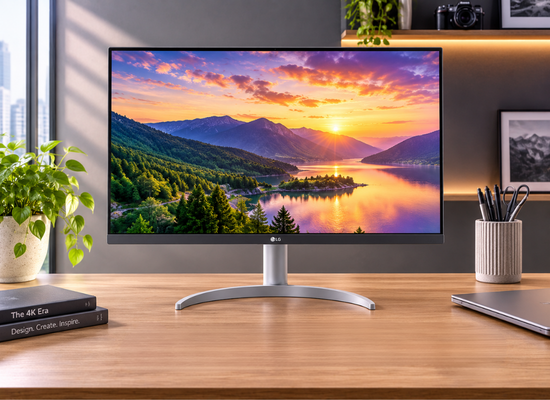
I think a monitor is easier to choose when you describe the work before the screen. Reading documents, arranging several spreadsheets and editing images place different demands on the same desk. A model name alone tells you little about whether the display will suit those tasks.
When comparing a monitor on rent, start with your computer, your usual applications and the space available. That gives the supplier a useful brief and gives you a way to judge the proposed model beyond its diagonal measurement.
Begin with the work on screen
Describe what needs to remain visible together. A person working through documents may value clear text and comfortable scaling. Someone comparing plans or editing a timeline may need more room for panels and reference material. Colour-sensitive work adds requirements that an ordinary office display may not meet.
Ask for the exact model rather than accepting a broad description such as business monitor. The model number lets you check the manufacturer’s specifications and makes it easier to compare alternatives offered in the quotation.
Choose a size that fits the desk
Measure the usable desk space, including the stand, keyboard and any laptop beside the screen. Leave room to position the display comfortably instead of filling the entire surface with a larger panel.
Screen size is measured diagonally. It does not describe the stand’s footprint or tell you how a wide display will fit between other equipment. Ask for the overall dimensions if space is tight. For two screens, consider their combined width and whether both stands can sit where you need them.
Read resolution alongside size
Resolution describes the pixel dimensions. Full HD is 1920 by 1080, QHD is 2560 by 1440 and 4K UHD is 3840 by 2160. Compare those figures with the size of the panel and the way your applications display text.
A higher resolution can provide more detail, but comfortable reading may require scaling. If possible, test a familiar document at the intended resolution and scaling setting. The useful question is whether your normal work remains readable with the windows you need open.
Match connections at both ends
Check the computer’s video outputs and the monitor’s inputs before agreeing to a model. Confirm which cable will connect them and whether an adapter is required. The computer, display and connection must support the resolution and refresh rate you intend to use.
A USB-C connector does not automatically mean that the port carries video. Check the exact computer specification for DisplayPort Alt Mode or the relevant display capability. If you need an adapter, confirm its supported direction and limits rather than judging compatibility by connector shape alone.
Look at the stand and placement
Ask which adjustments the supplied stand provides. Height, tilt and orientation can matter when several people use the desk or when the screen sits beside a laptop. Confirm the actual stand supplied with the rental unit.
If you plan to use a monitor arm, check the display’s mounting compatibility, weight and the arm’s supported range. Also establish who supplies the arm and any mounting hardware. A picture of a mounted display does not establish what is included in the rental.
Confirm the supplied accessories
Get the display, stand, power connection and signal cable named in writing. Ask whether adapters, speakers or a docking station are separate items. If you want two displays, confirm that the proposed computer and connection arrangement support both.
Record the model and visible condition when the equipment arrives. Test the screen with your own computer and usual application while delivery details are still easy to resolve with the supplier.
Compare the complete quotation
Compare the same model or specification, rental duration and accessory scope across quotes. Separate the rental charge from any deposit, tax, delivery, collection or setup charges that apply. Ask about support, replacement arrangements and the process for extending or ending the rental.
A guide to monitor rental price can help frame those cost questions before you accept an offer. Choose the display that fits the work and the connection you can verify, then confirm the full terms in writing.