

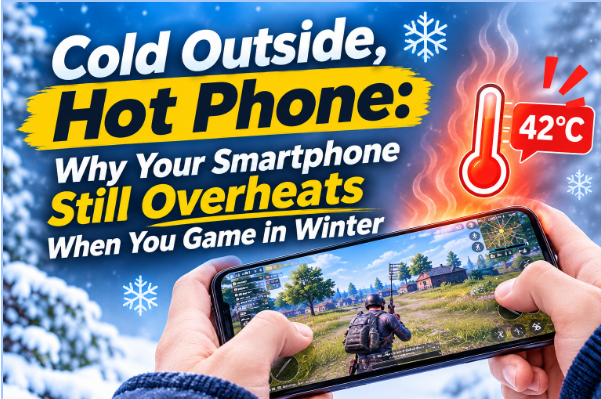
It’s January. You’re on the couch, phone in hand, twenty minutes into a ranked match. The game ran fine at the start. Now the frame rate is stuttering, and the back of your phone is noticeably warm.
This catches a lot of people off guard. Cold weather doesn’t prevent phones from overheating — and for mobile gamers, winter habits often make it worse.
Why Cold Air Doesn’t Protect Your Phone
Your phone’s thermal sensors react to internal temperature, not what’s happening outside. The CPU and GPU generate heat under load regardless of season, and that heat has to go somewhere.
Most winter gaming happens indoors, in rooms sitting around 68–72°F (20–22°C) — not far off a summer afternoon. Central heating dries out the air and reduces airflow, which actually slows surface cooling. Add a blanket, a couch cushion, or a thick case, and you’ve made it worse.
The cold air outside is irrelevant. What matters is the workload inside the device and whether heat can escape the chassis.
Where the Heat Actually Comes From
Even holding your phone bare-handed, heat can build faster than you’d expect.
Games like Genshin Impact or Call of Duty: Mobile push the CPU and GPU at near-peak load throughout a match. Phones cool passively — using vapor chambers and graphite layers to move heat toward the back panel, which acts as the main radiator. That system handles short bursts well, but under a sustained gaming load it struggles. Heat builds faster than the chassis can release it, and the chip starts throttling to compensate.
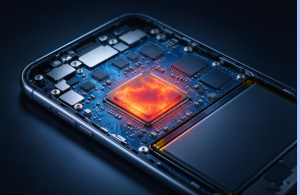
You’ll notice it as dropped frames, sluggish touch response, or a dimmed screen. The phone isn’t malfunctioning — it’s protecting itself.
What Actually Helps
Cap your frame rate first. Most games let you adjust this in display or performance settings. Drop from 90 or 120 FPS down to 60. The GPU works roughly twice as hard at 120 FPS, and few phones sustain that for long before throttling. A locked 60 FPS stays smoother over a full session than a frame rate that swings between 120 and 45 once the chip heats up.
Lower your graphics settings. Render resolution has the biggest impact on GPU load. Drop that one step before touching shadows or effects. You’ll barely notice the visual difference, but the phone runs meaningfully cooler.
Take the case off. The back panel is your phone’s primary heat exit. A thick silicone or rugged case slows that down. This matters more in winter, when people tend to switch to bulkier, more insulated cases — exactly the wrong move for a long gaming session.
Get some airflow around the phone. Gaming under a blanket or on a couch cushion traps heat. Hold the phone so your palms don’t fully cover the back panel, and sit somewhere with moving air. Even a small fan nearby makes a real difference in a warm, still room. Avoid gaming near radiators or space heaters.
Let a cold phone warm up before you start. If you’ve just come in from outside, give it 15–20 minutes at room temperature first. A cold phone going straight into a demanding game can experience additional thermal stress as it warms up unevenly from the inside.
When You Need More Help
For sessions over 30 minutes on demanding titles, an active phone cooler is the most direct solution. Holding the phone bare-handed in a warm room gives passive cooling limited room to work — the back panel has a fixed surface area, and your palms cover part of it. A clip-on Peltier cooler pulls heat directly off the chassis, keeping the chip below its throttling threshold longer than the phone can manage on its own.
A few things worth checking before you buy:
- Condensation protection — in cold rooms, the cooling plate can drop below the dew point and cause moisture on the phone
- Noise level — relevant if you use voice chat during play
- Secure fit — the cooler should sit flush against the back panel without slipping during handheld use
If you play short or casual sessions, the free fixes above are enough. Active cooling is for anyone who regularly plays through 30-plus minutes of a demanding title — ranked matches, long grinds, or anything that keeps the GPU pinned throughout.
Final Thought
Cold weather doesn’t shield your phone from heat. The GPU and processor don’t know what month it is.
Before your next session: pull the case off, cap your frame rate at 60 FPS, and find a spot with airflow around the phone. If throttling still kicks in past the 20-minute mark, a clip-on active cooler is the most effective next step. Those changes are usually enough to keep things stable through a full evening of play.