

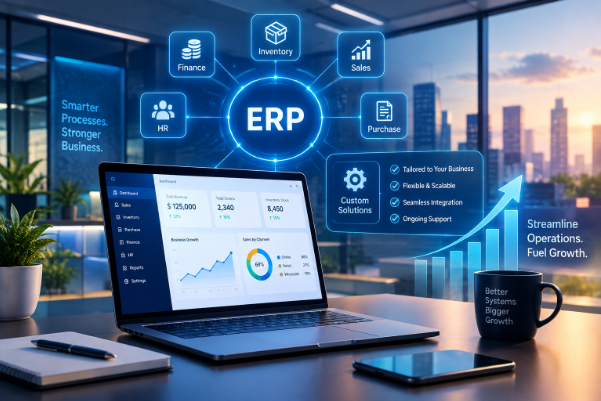
ERP implementation involves designing, installing, and implementing ERP software such that the finance, stock, sales, and operations of the business are all operated within a single system. For an expanding business, this is an important transition to make. Without a central system where information is shared, duplication, delays, and loss of information occur. Here, we will explain how you can go about planning the implementation process, instances when customization of the ERP software is needed, and what potential issues should be addressed.
What Is ERP Implementation?
Put another way, it means getting your company off multiple tools and putting them on a single tool. Here’s how the ERP software ties your systems together:
- Finance automatically logs each transaction.
- Inventory logs changes in stock.
- Sales knows what you have to sell.
- Purchasing knows what they need and when they need to order.
- Operations tracks the production and distribution.
Implementation and customization are distinct concepts but are related. The implementation process includes installation, configuration, migration and training on the software. Customization of an ERP system involves tailoring the software, including coding, field development, and workflow design, for your particular business requirements that are not covered by the standard version of the product.
Why Do Growing Businesses Need ERP Software?
A small organization may do well with minimal technology, but soon its limitations become apparent. There are four main advantages of using ERP software for a growing organization:
- Less fragmented processes: The data will be input once and not re entered into various applications.
- Improved access to information: Information regarding stock, finance, and order status becomes available instantly without searching through three different departments.
- Quicker reporting: The dashboard and monthly reports will now be generated by a single source, saving considerable time.
- Scalable solutions: Expanding the business, either by opening new branches, expanding product range or increasing number of users, becomes much simpler.
What Are the Key Steps in the ERP Implementation Process?
Following a structured ERP implementation process keeps the project predictable and reduces surprises.
Identify Business Requirements
Record what is happening at present in the process of work, where there are problems, and what needs to be improved. Get insights from the actual workers rather than just the managers.
Select the Right ERP Software
Evaluate vendors in terms of industry relevance, cloud or on premises, service quality, and pricing. Get demonstrations based on your scenarios.
Plan Data Migration
Determine what will be transferred, including customers, vendors, items, open orders, and balances. First cleanse the data and then do test imports.
Configure and Customize Workflows
Use configurations that are built wherever possible. Customize the system only when there is some gap left.
Test the ERP System
Perform end to end scenario testing, like order to cash and procure to pay using real users prior to implementation.
Train Employees and Launch the System
Role based training should be provided, and a go live checklist should be followed for the first few weeks.
When Should a Business Choose ERP Customization?
Standard functionality should suffice for typical processes such as invoicing, purchasing, and simple stock management. If customization is needed, it means that the process is giving you some kind of competitive advantage or your industry requires this from you. Some examples would be:
- Approval chain for purchasing and discounts
- Custom reports for regulatory bodies, financiers, or important clients
- Integration with ecommerce sites, payment services, and logistics providers
ERP integration of this type is usually the best thing you can do. However, before starting any customization, ask yourself one question: could we adapt the process instead of the application? Each customization requires future testing and upgrades.
Standard ERP Software vs. Custom ERP Solutions
| Factor | Standard ERP | Custom ERP |
| Flexibility | Limited to vendor options | Shaped around your exact workflows |
| Implementation effort | Faster, lower setup cost | Longer build and testing time |
| Maintenance | Vendor handles updates | Your team or partner maintains code |
| Scalability | Grows within vendor limits | Grows as designed, if built well |
The usual software is designed for firms that have regular activities and tight deadlines, while custom ERP systems are suitable for organizations that have unique operations, complicated integrations, or certain compliance requirements. In both cases, the focus should be on the total cost of ownership, not just the price.
What Are the Common ERP Implementation Challenges?
Data Migration and Data Quality
Historical data frequently includes duplicates and errors. Migration of poor quality data to a new system will only propagate problems.
Budget and Timeline Overruns
Scope creep is the cause most of the time. Identify key requirements and regard other items as a future step.
Employee Training and Adoption
When employees lack trust in the new system, they go back to using spreadsheets. Early involvement and training help build trust.
Integration With Existing Applications
Communication between CRMs, payroll applications, and ecommerce systems has to work smoothly. Document all connections prior to development.
System Maintenance and Scalability
ERP scalability relies on selection of the platform and architecture that allows for scaling up the number of users, transactions, and facilities.
What Are the Best Practices for Successful ERP Implementation?
- Define business goals with measurables, such as reducing invoice time by 30%.
- Define clear project roles, such as the internal project owner.
- Focus on necessary functions and defer additional needs until the future.
- Validate real life workflow scenarios with the end users of the system.
- Make provisions for security, maintenance, and future upgrades from the start.
How Can Businesses Measure ERP Implementation Success?
Track these indicators before and after go live:
- Order and invoice processing time
- Inventory and data accuracy
- Reduction in repetitive manual tasks
- Employee adoption rates
- Total implementation and operating costs
Conclusion
What determines whether you will be able to successfully implement the project depends on three points: understanding your true requirements, limited customization and proper employee engagement. Understand your true requirements, customize only where it is necessary, provide your employees with the means to work with the system effectively. In case you are looking to implement a new or modifying existing ERP system, MXIcoders’ ERP development services will assist you to create a perfect solution for your business.