

Trend posts move quickly. A product update, creator campaign, event recap, seasonal idea, or social discussion can become old news before a team finishes a polished video. That speed is useful, but it can also make visual content careless. A short clip may look energetic while quietly changing the point of the post.
The planning question is simple: what should the viewer understand before they click, read, or share? If the answer is not clear, more motion will not fix the problem. It may only make the weak parts harder to see.
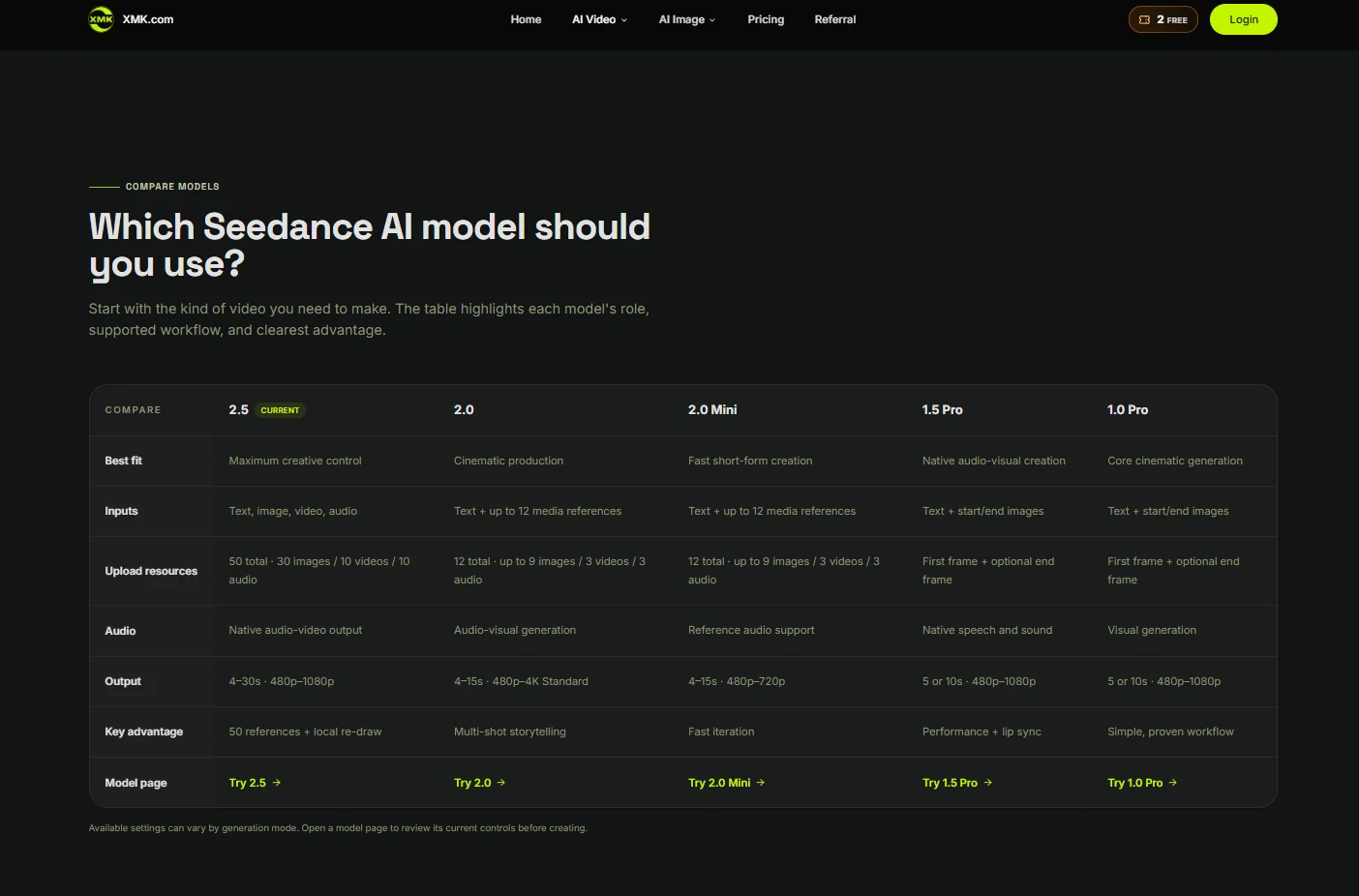
Used carefully, XMK Seedance can support that early planning stage by helping teams turn an editorial idea, eligible visual references, and a simple prompt into a short draft for review. The draft should be treated as a planning object, not as proof that an event happened, a product performed in a certain way, or an audience reacted as expected.
Start With the Promise of the Post
A trend post usually carries one promise. It may promise a quick explanation, a useful comparison, a recap, a practical tip, or a reason to care about a new idea. Before planning the video, the team should write that promise in one plain sentence.
“This update helps readers understand why small brands are testing shorter launch videos” is a usable promise. “Make it look viral” is not. The first gives the video a job. The second only asks for surface energy.
That difference matters because visual drafts are persuasive. Music, movement, fast cuts, and dramatic lighting can make a weak claim feel stronger than the article supports. A clear promise keeps the draft tied to the post instead of letting the video invent its own message.
Keep the Source Material Narrow
A useful draft does not need every asset a team can find. It needs a few inputs that are allowed for the project and relevant to the message. Simple references are often enough at this stage: a color palette, an abstract layout sketch, a product-neutral scene note, a chart style, a background mood, or a storyboard frame.
Each reference should have one job. One may guide the tone. One may suggest the setting. One may show the rough structure of the sequence. If a reference introduces details that the post cannot support, it should stay out of the brief.
Teams should also avoid uploading private files, unpublished client material, third-party creative assets, or anything that has not been cleared for external AI processing. Approval to use an asset in a normal article does not automatically mean it should be used as a generation reference.
XMK currently states that real human faces, including selfies, portraits, and celebrity material, and copyrighted content are not supported in this workflow. Violent and NSFW content is also rejected. Rights clearance and platform eligibility should therefore be checked separately before any reference is uploaded.
Do Not Turn Interest Into Evidence
Trend coverage often deals with early signals. Search interest in a topic may be rising, comments may be increasing, product pages may be appearing, or more creators may be discussing an idea. Those signals can be worth discussing, but they are not the same as proof.
Trend claims should remain traceable to named sources, a defined market or audience, a measurement period, and a verification date. Search interest, social engagement, sales, survey responses, platform rankings, and anecdotal creator activity measure different things and should not be presented as interchangeable evidence.
A generated scene should illustrate the article’s argument, not serve as evidence that the reported behavior, adoption level, market shift, or audience reaction actually occurred. If the post says a trend “may be growing”, the video should not make it look like a finished market fact.
Numbers, dates, names, quotes, rankings, prices, screenshots, and source labels should normally be added in editing from verified material. Generated background text can be misspelled, invented, or visually convincing in the wrong way. For trend content, that can turn a cautious observation into a misleading claim.
If a generated or illustrative scene could reasonably be mistaken for documentary footage, a real event, an actual product demonstration, genuine customer behavior, or measured audience reaction, label it clearly in the clip or immediately adjacent caption. The disclosure should remain understandable when the video is shared away from the original article.
Plan the Video Around One Reader Action
A short video works better when it supports one reader action. The goal may be to open the full article, compare two options, notice a risk, understand a basic sequence, or save the post for later. Trying to do all of those jobs in one clip usually makes the result feel scattered.
A simple structure can help. The opening shows the reader problem. The middle introduces the trend or example. The next beat explains why the idea matters. The final frame leaves space for an editor-added headline, label, or call to action.
The team does not need to force every post into the same timing pattern. Some ideas are better as a still graphic, checklist, carousel, or plain text update. Video is useful when motion clarifies the message. It becomes clutter when it tries to replace the message.
Keep Brand and Platform Signals Accurate
Trend posts often mention brands, platforms, tools, apps, events, or public campaigns. The video should not imply a partnership, endorsement, sponsorship, official announcement, or verified case study unless the article clearly supports that relationship.
Logos, app screens, interface labels, badges, and recognizable product claims should be handled carefully. If interface accuracy matters, use verified screenshots or approved screen recordings in the final edit rather than asking a generated scene to recreate a real product. If a logo or badge must appear, it should come from an approved source and be used according to the applicable brand rules.
Sponsored coverage, affiliate links, gifted access, paid placements, and brand-supplied trend data should be disclosed clearly and kept distinguishable from independent editorial conclusions. A generated visual should not make commercial material appear to be neutral reporting or organic audience activity.
A practical trend video workflow can help editors compare pacing, tone, and visual emphasis before they spend time on final design, editing, or paid promotion.
Review for What the Video Adds
Before publication, the review should be practical. Does the draft make the article easier to understand? Does it preserve uncertainty where the source material is uncertain? Does it avoid turning a possibility into a guarantee? Does it keep captions, labels, and calls to action readable on mobile?
If narration, dialogue, music, or sound effects carry information, provide accurate synchronized captions and review them manually. The article or accompanying post should still contain the complete material facts in structured text, including sources, qualifications, and corrections that cannot fit comfortably inside the clip.
The team should also check the quieter details: background signs, screens, packaging, calendars, documents, maps, and small labels. These can accidentally introduce claims, dates, locations, brands, or jokes that were never part of the article.
If the draft needs too many corrections, the problem may not be the tool. The article itself may need a sharper angle, a simpler source hierarchy, or a cleaner ending. A video draft can expose that before the post goes live.
Use the Draft as an Editorial Stress Test
The best use of a planning draft is not to make the article look more expensive. It is to test whether the idea holds together when it becomes visual. If reviewers cannot explain the video in one sentence, readers may not understand the post either.
That may mean fewer scenes, a calmer pace, or a simpler background. In some cases, a checklist, static graphic, or plain-text post will communicate the update better. The draft is useful if it helps the team make that decision before publication.
Short videos can make trend coverage more readable, but only when the message stays in charge. The visual plan should help the post travel without changing what the post can honestly say.