

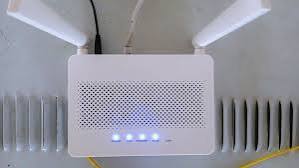
Every office with patchy Wi-Fi goes through the same troubleshooting ritual. Someone buys a new router. Then a mesh system. Then a few more access points, spaced out across the floor plan like someone is trying to solve a lighting problem instead of a networking one. The signal gets a little better for a week, then settles right back into the same dead zones it had before.
An access point can only pass along what it receives
A wireless access point is not a device that generates bandwidth on its own. It converts a wired signal into a wireless one, and it can only distribute as much capacity as the cable feeding it can deliver. If that cable is old, damaged, or undersized for what is being asked of it, no amount of access point upgrades will fix the underlying bottleneck.
This is the part that gets skipped in most troubleshooting, because the access point is the visible, obvious suspect sitting on the ceiling, and the cable behind the wall is invisible by design.
Cat5e cable trying to do a Cat6 job
A lot of commercial buildings still run on cabling that was installed for a very different set of devices. Cat5e was a perfectly reasonable standard when it went in, often a decade or more ago, built for a world with fewer wireless clients per access point and far lower per-device bandwidth demand.
Today, a single conference room access point might be serving two dozen laptops, phones, and video conferencing units at once, each one expecting enough throughput for a clean video call. The cable was never rated for that load, and it shows up as buffering, dropped calls, and slow file transfers that get blamed on the Wi-Fi when the Wi-Fi radio itself is working fine.
Switches and power budgets nobody is tracking
The access point also needs power, usually delivered over the same cable through Power over Ethernet. Older switches were sized for a handful of basic devices, not a building full of PoE access points, security cameras, and VoIP phones all drawing from the same limited power budget.
When a switch runs out of power budget, it does not announce the fact. It just starts underpowering devices, which shows up as access points that randomly reboot or drop their radios under load, especially during busy afternoons when everything on the network is working at once.
A fifteen minute test before buying more hardware
Before replacing another access point, it is worth running a basic cable certification test on the lines feeding the problem areas. This checks actual throughput against the cable’s rated standard, rather than just confirming that a link light turns on, which is a much lower bar than most people realize.
The ANSI/TIA 568 series and BICSI’s own published standards lay out exactly what a properly performing structured cabling installation should test at, by category and by distance, which gives a concrete baseline to compare against instead of guessing from symptoms.
Interference is real, but it is rarely the whole story
None of this means wireless interference does not exist. Overlapping channels, nearby buildings, and even microwave ovens can genuinely degrade a Wi-Fi signal, and the Wi-Fi Alliance publishes detailed guidance on channel planning and spectrum management for exactly this reason.
The difference is that interference problems are usually inconsistent and location-specific, while a cabling bottleneck shows up as a flat ceiling on performance everywhere that particular run is in use, no matter how the access point is configured or positioned.
Where to actually start looking
If a building has had three rounds of access point upgrades and the same dead zones keep reappearing in the same spots, this structured cabling overview is a more useful starting point than a fourth round of hardware. The cabling underneath a network rarely gets a second look once it is installed, which is exactly why it ends up carrying blame it does not deserve, for problems it caused in the first place without anyone checking.