

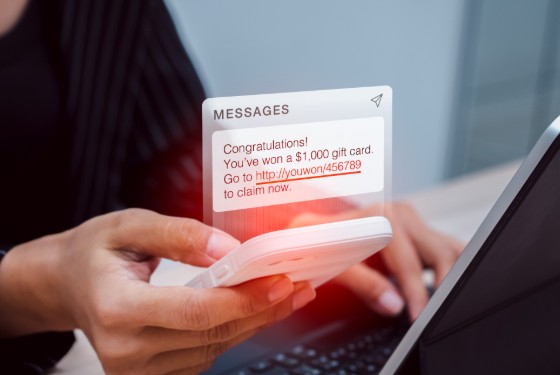
Every November, a retail team spends weeks perfecting one email: the subject line, the countdown timer, the 40%-off banner. Scammers wait for it to land in their inbox, then copy it. That is how a lot of Black Friday scams work. The attacker doesn’t have to write a convincing phish, because the brand already wrote one and sent it to its whole list.
This article covers how the copying happens, what makes some brands easier to clone than others, and what a retail team can fix before customers start receiving the fakes. It also covers important tools like a phishing URL checker that can help with a link that looks off. Black Friday falls on November 27 this year, so the window to get ready is short.
Why Seasonal Campaigns Make the Perfect Template for Black Friday Scams
For a few weeks every year, shoppers expect a flood of discount emails. Countdown clocks, “last chance” banners, and midnight deadlines that would look suspicious in March look completely normal in November. Urgency is the main tool in most phishing, and during this season it blends in.
Retail marketing is also early and public. Teasers, early-access previews, and sale announcements reach the subscriber list days or even weeks before the event. By the time the sale starts, the full design is already sitting in anyone’s inbox, including people who have no interest in buying anything.
Volume does the rest. Inboxes are packed, and people skim. A fake that looks roughly right gets a second of attention, and a second is often enough.
Then there is the transactional layer. Order confirmations, shipping updates, and payment problem notices all follow predictable formats, and shoppers are waiting on several of them at once. The FTC has pointed out that during the holidays people expect more deliveries, and scammers count on that when they send fake delivery notifications by email and text. The usual stories are a missed delivery or an address that needs updating, often with a warning that the package goes back to the sender unless the person acts immediately. The link leads to a fake page that collects usernames and passwords, and it can also install malware. That kind of holiday phishing works because it looks like mail the customer was already expecting.
How Scammers Clone a Retail Email, Step by Step
The process is mostly copy and paste, which is why it scales so well.
- Subscribe and capture. Brands actively invite people to join their lists, and nothing stops an attacker from signing up with a throwaway address. Every campaign gets saved as it arrives, teasers included.
- Copy the design. An HTML email is just code. Attackers reuse the markup, the images, and the subject line, and change a few words. Sometimes the fake even loads images from the brand’s own servers, so the logo looks perfect.
- Swap the links. The buttons point to a lookalike domain, or to a redirect hosted on a compromised website. The page behind the link is usually a copy of a login or checkout screen.
- Pick a sender. There are three common options. If the brand’s real domain has no enforcement, the attacker can send from it directly. If it does, they register a lookalike domain. Or they use a display name spoof, where the visible name says the brand but the actual address belongs to someone else. Mobile mail apps often show only the display name by default, so that last one fools more people than you would expect. All three produce brand impersonation emails, and each defeats a different set of defenses.
- Send the follow-up wave. Once the main campaign is out, fake order confirmation emails and delivery notices follow. A recipient who never placed an order gets a message about a purchase and clicks “cancel order” or “dispute this charge” without thinking twice.
What Makes a Brand Easy to Impersonate
Some brands are cloned far more often and far more convincingly than others, and the reasons are mostly fixable.
No DMARC Enforcement
DMARC lets a domain owner publish a policy that tells receiving mail servers what to do with messages that claim to be from the domain but fail authentication. At a policy of p=none, receivers take no action, so spoofed mail is delivered as normal. This catches out more brands than you might think. Google’s sender rules require anyone sending more than 5,000 messages a day to Gmail accounts to publish a DMARC record, but a p=none policy satisfies that requirement. A brand can be fully compliant and still be easy to spoof.
Lookalike Domains Nobody Is Watching
DMARC only applies to the exact domain in the From address. A domain with a swapped letter, an added word like “deals” or “sale,” or a different top-level domain is a different domain as far as DMARC is concerned. Retail email spoofing of this type is not blocked by any policy the real brand has published, so the only defense is knowing these domains exist.
Inconsistent Sending
A typical retailer sends from an email service provider, an e-commerce platform, a loyalty tool, a help desk, and an agency or two. If each one uses a different from-address, sender name, or domain, customers never learn what a real message looks like, and a fake has nothing to stand out against.
Unfamiliar Tracking Domains
Many email platforms wrap links in their own click-tracking domains by default. Those URLs look strange, so customers who click them anyway learn that strange-looking links are fine. That habit is exactly what Black Friday scams rely on.
What Retailers Can Lock Down Before November?
These steps are roughly in order, because each one depends on the one before it.
Step 1. Audit Your Sending Domain and Every Sender
Start by running the domain through a domain analyzer to see the current state of SPF, DKIM, and DMARC. Then list every platform that sends mail using your domain, including the ones marketing set up without telling IT. Each one should sign with DKIM using your domain and be covered by SPF. One technical limit to watch: SPF allows only 10 DNS lookups, and a long list of includes from many tools can exceed it, which makes SPF fail with a permanent error.
Step 2. Move DMARC to Quarantine or Reject
Publish a DMARC record with a reporting address and read the aggregate reports for a few weeks. They show which servers are sending mail as your domain, and they usually turn up a few senders nobody remembered. Fix the legitimate ones, then move to p=quarantine, watch the reports again, and move to p=reject when the results are clean. Check that subdomains are covered too, either by inheriting the main policy or through an explicit one. Do this before the season, not during it, because a mistake can block your own campaign emails when they matter most.
Step 3. Watch for Lookalike Registrations.
Since DMARC can’t see these, you need a different tool. A lookalike domain checker generates variations of your domain, such as swapped characters, extra words, and other extensions, and shows which are registered and whether they have live DNS records or certificates. PowerDMARC, an email authentication platform, offers one. Run it regularly, because new domains appear all the time. When you find an abusive one, report it to the registrar and the hosting provider, and report the phishing page to Google Safe Browsing so browsers start warning people.
Step 4. Publish BIMI If You Qualify
BIMI shows your logo next to authenticated messages in supporting inboxes. Per Google’s documentation, it requires DMARC at quarantine or reject, an SVG logo, and a Verified Mark Certificate or Common Mark Certificate from a certificate authority. In Gmail, a VMC also adds a verified checkmark, while a CMC lets brands without a registered trademark show a logo. BIMI doesn’t stop phishing on its own, and not every mail client supports it, but it gives customers a visual signal that an impersonator would struggle to reproduce.
Step 5. Standardize How You Send
Choose the sender names, from addresses, and link domains that your emails will use, write them down, and make every platform and agency follow the list. A dedicated sending subdomain for marketing, kept separate from transactional mail, makes reports easier to read. Set up a custom tracking domain with your email provider so campaign links resolve to a domain that is recognizably yours.
Helping Customers Spell the Difference
Technical controls cover the sending side. The rest depends on whether customers know what a genuine email from you looks like.
- Publish a short “how we email you” page and link it from every footer. List the sender names and addresses you use, the domains your links go to, and the types of email you send, such as promotions, order confirmations, and shipping updates.
- Say what you will never do. State plainly that you never ask for passwords, full card numbers, or payment details by email. Point customers to their account page for order status instead of asking them to follow an email link, which matches the FTC’s own advice to check order status on the seller’s site.
- Give people somewhere to report fakes. A monitored mailbox for suspected scam emails costs nothing, and the reports are useful for spotting new lookalike domains before the checker does.
Where to Start This Week
Black Friday scams copy whatever you send, so the goal is to make copies fail or get noticed. DMARC enforcement shuts down exact-domain spoofing. Lookalike monitoring covers what DMARC can’t. Consistent sending and a clear customer-facing page make the real emails easier to recognize and the fakes easier to spot. The first step is the sender inventory, since every other piece depends on knowing who sends mail as your brand, and the DMARC reports take weeks to be useful.
Frequently Asked Questions
How do scammers send emails that look exactly like a real brand’s?
They subscribe to the brand’s list and copy the HTML, images, and subject lines from real campaigns. The visual match is easy. What differs is the sender: the real domain if it has no enforcement, a lookalike domain, or a display name that borrows the brand’s name.
Does DMARC stop Black Friday phishing completely?
No. At p=quarantine or p=reject, DMARC stops exact-domain spoofing for receivers that honor the policy. It does nothing about lookalike domains, display name spoofing, or scams that arrive by text message, which is why it works best alongside domain monitoring and clear guidance for customers.
What are the most common Black Friday phishing emails?
Fake delivery notifications are the ones the FTC highlights every holiday season, usually claiming a missed delivery or an address problem. Fake order confirmations, payment failure notices, and discount offers sent from lookalike domains are also widespread, because they copy mail that retailers really do send.
How can customers check whether a link is real?
They should preview the full address before clicking, which means hovering on a computer or long-pressing on a phone, and compare the domain letter by letter. For anything tied to an order, going straight to the retailer’s site or app is safer than using the email.
Should retailers register lookalike domains defensively?
Registering the obvious ones, like common typos and other extensions of your name, is worth doing. It can’t cover every possible variation, so it works best as a supplement to monitoring, not a replacement.
How early should retailers start preparing?
Ideally several weeks before the first holiday campaign. Most of the time goes into finding every legitimate sender and fixing authentication for each one, and brands that use many platforms may need longer.