

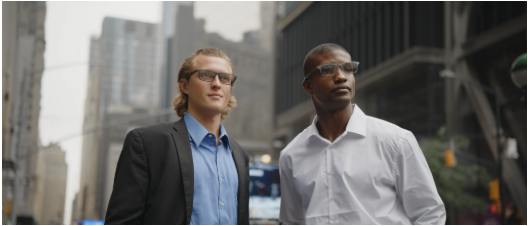
A founder meeting a prospective retail partner has two jobs: understand the opportunity and make the other person feel heard. Pulling out a phone to check information can interrupt the exchange. Wearing camera-equipped glasses may introduce a different question: is the conversation being filmed? Camera-free smart glasses offer a middle path, but only when their actual features match the work.
The important distinction is what the hardware can sense and deliver.
Camera-free smart glasses lack built-in image sensors for first-person photography, video and camera-based AI. Audio-first professional smart glasses use microphones and speakers for calls, spoken assistance and transcription. Display smart glasses add in-lens text for prompts, captions and notifications. Camera-free hardware does not prevent microphone-based recording.
That distinction changes how founders should assess both the benefits and the compromises.
Why a Camera Changes the Conversation
A camera is useful when a founder needs to film a product demonstration, document a prototype or create behind-the-scenes content. It also introduces a capability the people across the table may reasonably want explained. A device worn at eye level is different from a phone placed visibly on the table, even when neither is actively recording.
Camera-free eyewear prevents photo and video capture through the frame but does not prevent audio collection. Microphones may capture speech; companion software may process recordings on connected phones or cloud services. Workplace restrictions, participant consent and data-retention obligations remain separate from camera hardware. Device design alone cannot establish recording compliance.
For founders, that hardware decision is less about making a privacy claim and more about matching technology to the expectations of a particular setting.
Camera-Free Does Not Mean Feature-Free
Smart glasses have diverged into three practical approaches. Each serves a different founder task, and none should be treated as a universal replacement for a phone.
| Hardware approach | Typical strengths | What founders give up or must check |
| Display smart glasses | In-view prompts, notifications, navigation and presentation cues | Readability, phone connectivity, limited screen area and whether audio output exists |
| Camera smart glasses | First-person photos, video and visual-AI assistance | The additional consent and appropriateness questions raised by image capture |
| Audio-first professional smart glasses | Calls, spoken assistance, permitted recording, transcription and summaries | No first-person pictures or visual-AI recognition; audio quality and software dependence vary |
The Even Realities G2 illustrates why camera-free is not one single product category. In developer documentation updated in August 2026, Even Realities describes G2 as having a display and microphones but no built-in camera or speaker. It can put speaking prompts in view, but it cannot play calls through speakers in the frame. An audio-first design takes almost the opposite approach: it prioritizes listening and spoken output instead of showing text in the lens.
A founder preparing a keynote may value a discreet teleprompter. A founder who spends the day on calls may find that feature irrelevant. The useful specification is the one that removes an actual interruption.
The Overlooked Advantage: Keeping the Meeting About the Other Person
Consider a founder visiting a potential distribution partner. The buyer walks through shelf space, asks a question about delivery timing and mentions a concern about return handling. The founder needs to remain engaged, perhaps take a call between appointments, and later remember the exact conditions that require follow-up. Shooting video of the visit would add little to that task. A way to handle audio and, when everyone agrees, document the discussion may be more useful.
The Dymesty Cook Edge without a camera is an example of professional AI glasses built around an audio-first approach. Cook Edge combines open-ear audio and four microphones with a companion app offering recording, transcription and AI summaries. Its camera-free frame does not capture the buyer’s store or products visually; its potential value is in supporting an audio-centered workflow without repeatedly reaching for a phone. Any recording still needs appropriate permission, and a generated summary should be checked before it becomes a customer commitment.
That is a less obvious reason to consider a wearable: it can reduce device handling during a conversation without pretending the device can understand every part of that conversation. The founder still has to listen, clarify the commercial terms and decide what should be documented.
The Trade-Offs That Matter After the First Week
Camera-free hardware may feel straightforward in a demonstration, but daily usefulness depends on what happens after the novelty wears off.
Visual information remains outside the workflow. Audio-first glasses cannot scan a contract, photograph a sample or capture figures written on a whiteboard. Founders who routinely review physical designs or produce social content may still need a phone or a camera-equipped device. A screen-equipped, camera-free model can show prompts, but a display is not a camera.
A microphone creates its own responsibilities. A camera-free frame is not the same as a recording-free device. Consent, workplace policies, confidential information, retention controls and any cloud processing still matter. Open-ear audio also deserves a privacy check: people nearby may hear some audio at certain volumes or in quiet environments.
Phone and app dependence are operational costs. Founders should test Bluetooth reconnection, internet requirements, notification behavior, transcript export and the time needed to correct speaker names or key figures. A polished AI summary is less valuable when the underlying transcript mistakes a price, date or commitment.
Comfort and total cost are part of the specification. Prescription availability, lens replacement, frame fit, charging arrangements and subscription limits affect whether the glasses are genuinely practical for an eight-hour workday. Manufacturer battery ratings often reflect mixed use rather than continuous recording or translation; compare devices under the activities that matter most.
The simplest test is not whether a feature sounds impressive. It is whether using the feature regularly saves more attention than it consumes.
A Founder’s Five-Question Buying Test
Before choosing a wearable, map the product to a normal workweek rather than a perfect product demo:
- What interruption am I eliminating? Reaching for a phone during calls, checking notes while presenting and documenting approved conversations are different problems.
- Do I need to see, hear or capture? A display, speakers and microphones solve separate tasks. A camera adds visual evidence but also another capture capability.
- Will it work in my real environment? Test a noisy café, a quiet office and the phone connection used during travel. Avoid assuming that one recording sample predicts every setting.
- What happens to the information? Confirm how a recording starts, whether participants are informed, where data is processed, and how notes can be edited, exported or deleted.
- What would I stop using? A wearable earns its place when it reliably replaces a small recurring friction, not when it adds another notification stream and another subscription.
The answers may point in different directions. A presentation-heavy founder might prefer display-only prompts. A content creator may genuinely need a camera. An operator who wants calls and permission-based voice notes may favor audio-first glasses. A founder with only occasional meetings may find that a phone already does enough.
The Right Wearable Fits the Work
Smart glasses without a camera are not automatically more private, more productive or more appropriate for every meeting. They are a deliberate hardware trade-off: less visual capture in exchange for a particular combination of audio, display or voice-first functions.
Founders should choose the device that makes important conversations easier to navigate, then keep responsibility for consent, interpretation and follow-through where it belongs—with the people in the conversation.