

Creating realistic product renders doesn’t have to take hours anymore. Today, thanks to different AI tools, you can add some quality textures to your 3D models in just minutes.
It doesn’t matter if you’re designing furniture, electronics, packaging, or your next product prototype. AI texture generators can truly help you test ideas faster and create some great visuals without having to do everything by hand.
But the market is full of some great options, so in this guide we will help you find the best option for you by taking a look at three of the best AI 3D texture generators for product designers in 2026: Meshy AI, Spline, and Luma AI.
What Makes a Good AI Texture Generator?
If you’re a product designer, you know that a tool that just helps create good textures and makes your model look nice is not enough. You need a tool that’s quick and easy to use without any unnecessary complications and also something that fits into your existing workflow.
So here’s what we mainly looked at when comparing these tools:
- Realistic Results
Can it create materials that actually look like metal, plastic, wood, fabric, glass, and other real-world surfaces?
- Easy to Use
Can you get good results without spending hours to just learn how the software works?
- Fits Into Your Workflow
Does it really work well with other tools like Blender, Unity, Unreal Engine, or other 3D software?
- Flexibility
Can you easily try different materials and styles until you find the exact one you like?
- Overall Experience
Does it make creating product visuals faster and easier?
1.Meshy AI
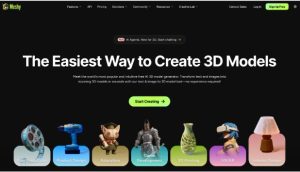
If realistic AI-generated textures are your main priority, Meshy AI is probably the strongest option of the three.
Instead of jumping between different applications, you can generate a model, create textures, preview the result, and export everything from one place. That makes the whole workflow feel much smoother, especially if you’re creating lots of concepts.
One feature I particularly like is that Meshy handles much of the technical work behind the scenes. Things like UV mapping become far less intimidating, so you can spend more time experimenting with designs instead of fixing technical issues.
Key features
Generate textures from text prompts or reference images
- Production-ready PBR materials
- Multiple texture variations
- Live 3D preview before exporting
- Exports for Blender, Maya, Unity, Unreal Engine, and other popular software
| Pros | Cons |
| Very beginner-friendly | Advanced projects may still need traditional 3D software |
| Creates realistic PBR textures | |
| Supports both text and image prompts | |
| Complete end-to-end workflow |
2.Spline
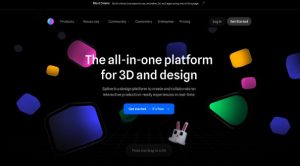
Spline takes a different approach.
While it does include AI features, it isn’t really built around AI texture generation. Instead, it’s a browser-based 3D design platform that’s particularly useful if your end goal is creating interactive experiences.
Because everything runs online, collaborating with teammates is refreshingly simple. You can share projects, make edits together, and quickly embed 3D content into websites without worrying about software installation.
If you’re creating product presentations, landing pages, or interactive demos, that’s where Spline really starts to shine.
Key Features
- Browser-based 3D editor
- AI scene generation
- Interactive animations
- Real-time collaboration
- Easy website embedding
| Pros | Cons |
| Great collaboration tools | AI texturing isn’t its main focus |
| No installation required | Fewer dedicated texture-generation features |
| Excellent for interactive product demos | Advanced modeling often requires additional software |
| Easy to share projects |
3.Luma AI

Luma AI is a little different from the other two.
Rather than creating textures from prompts, it’s designed to capture real objects and turn them into detailed 3D models using photos or video.
That makes it especially useful if you’re working with physical products and want accurate digital versions for marketing, presentations, or product visualization.
The quality of the captured surface details is impressive, which is why many designers use it when realism matters more than creative editing.
Key Features
- Create 3D models from photos or video
- High-quality object capture
- Fast processing
- Simple sharing
- Well suited for product visualization
| Pros | Cons |
| Very realistic captures | Not designed primarily for AI texture generation |
| Great for digitizing existing products | Works best when you already have a physical object |
| Straightforward workflow | Less control over generated materials than dedicated texturing tools |
| Ideal for marketing visuals |
Which Tool Should You Choose?
All three tools are useful for product designers, but they focus on different parts of the workflow.
If you want to create interactive product presentations, Spline is a great option. If you need realistic 3D models of existing products, Luma AI is worth looking at.
If your main goal is creating realistic textures and presentation-ready product assets, Meshy AI is our top pick. It lets you create textures from text or images, generates production-ready PBR materials, and makes it easy to go from a simple idea to a finished 3D model – all in one easy-to-use platform.
FAQs
1.Can AI texture generators replace traditional 3D texturing?
For many projects, yes. They’re great for creating textures quickly, though complex designs may still benefit from manual editing.
2.Do AI texture generators work with existing 3D models?
Yes. Many tools let you upload your own 3D model and apply AI-generated textures instead of creating a new model from scratch.
3.Can AI generate different material variations?
Yes. Most tools can quickly generate multiple versions of a texture, making it easy to compare different colors, finishes, or materials.
4.Do AI texture generators require a powerful computer?
Not always. Many AI 3D tools run in the cloud, so you can generate textures without needing high-end hardware.