

Personal brand stories, founder profiles, creator features, and public-facing interviews often begin as written narratives. A short video can help those stories travel farther, but it can also flatten a person’s work into a few dramatic images if the planning is careless.
The useful question is not, “Can this story become a video?” Most stories can. The better question is, “What should the video help the reader understand before they open the full article?” A visual draft should clarify the story arc, tone, and pacing without pretending to be verified footage or a complete biography.
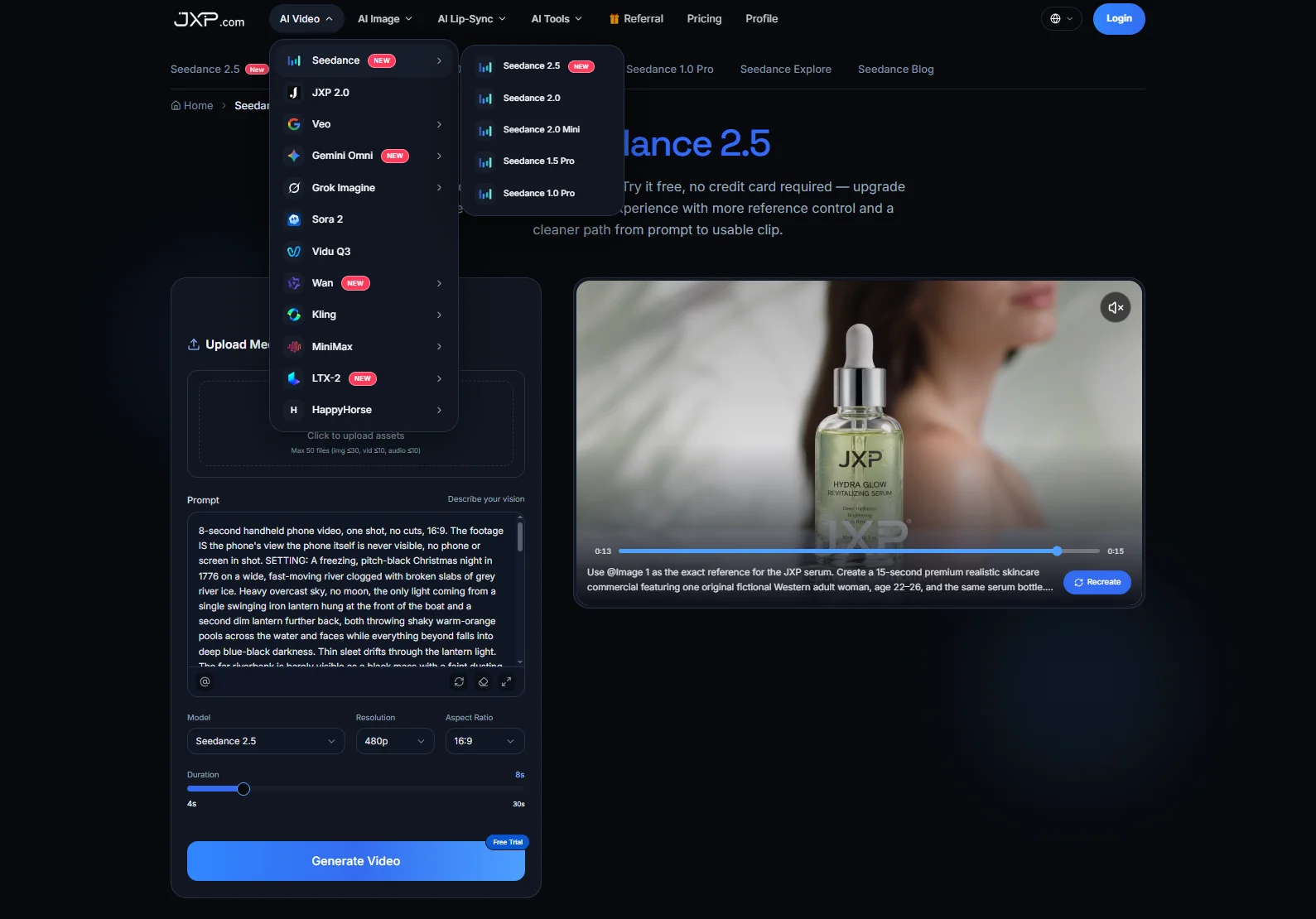
Used carefully, Seedance can support this early planning stage. The current JXP Seedance page offers Reference Generation and Text to Video, and describes support for multimodal references, clips of up to 30 seconds, selectable resolution and aspect-ratio settings, and local editing controls. Editors should confirm current output settings, duration options, costs, upload rules, and usage rights inside the product before using a draft for publication, sponsored content, or paid promotion.
Start With the Story Job
A profile video needs a job before it needs visuals. Is it introducing a founder’s mission? Summarizing a creator’s career shift? Supporting a leadership article? Previewing an interview? Explaining why a public figure’s work matters to a specific audience?
Each answer suggests a different draft. A founder story may need a problem-solution structure. A creator profile may need a before-and-after career arc. A leadership feature may need a calm, credible tone. A lifestyle or culture profile may need atmosphere, not a list of achievements.
If the team cannot state the story job in one sentence, the video brief is not ready. Otherwise, the draft may become a collage of flattering images rather than a useful introduction.
Use the Article as the Source of Truth
A generated video should not invent facts about a person, company, career, award, partnership, or public event. The article, interview notes, verified biography, approved media kit, and current public records should remain the source of truth.
Important names, dates, job titles, company names, awards, quotes, follower counts, client claims, revenue claims, and partnership statements should normally be added during editing rather than trusted inside generated footage. Generated text can be misspelled, distorted, or inconsistent across frames.
That matters for reputation content. A small factual error can make a profile look careless, and a visual exaggeration can make a credible story feel promotional. The draft should support the article, not rewrite the person’s record.
Avoid Real Faces and Celebrity-Like References
Personal stories often involve real people, which makes reference selection important. Permission to publish a headshot or interview photo does not automatically mean the image should be uploaded to an external AI service or used to create a generated likeness.
Safer planning materials include original diagrams, abstract brand mood boards made from eligible materials, approved non-identifiable environments, product-neutral work scenes, platform-supported synthetic or illustrated characters, color cards, simple storyboards, and sanitized scene outlines containing no confidential or identifying information.
Editors should check the platform’s current rules before uploading identifiable faces or attempting to generate a real person’s likeness. They should also avoid private images, client files, unpublished campaign material, confidential pitch decks, copyrighted third-party visuals, and any asset that is not both cleared for external AI processing and supported by the current workflow. A profile can be visually interesting without turning the subject’s face into generated footage.
When a real person is central to the project, the team should document their consent for the intended AI processing, generated use, publication context, and commercial distribution rather than relying only on a general photo release.
Make the Draft About Context, Not Imitation
A personal brand video works best when it shows context. Instead of trying to recreate a founder, influencer, artist, or executive, the draft can show the world around the story: a workspace, a product idea, a city rhythm, a stage cue, a campaign mood, a notebook, a team board, or a symbolic object.
That approach avoids two common problems. First, it reduces the risk of creating a likeness that the person did not approve for AI generation. Second, it keeps the article from becoming too image-led. The audience should leave with a reason to read the story, not just an impression that someone looked impressive on screen.
If the final publication needs real footage of the subject, it should use verified photography, consented video, or approved editorial assets produced through the normal publication workflow.
Plan One Clear Short-Video Arc
A short profile draft does not need to cover an entire life or career. It can use one simple arc: the opening establishes the challenge, the middle shows the work or idea, the next beat gives the audience a visual reason to care, and the final frame leaves space for an editor-added headline or article cue.
For a founder profile, the arc might move from customer problem to product concept to team momentum. For a creator story, it might move from early craft to current platform to a future project. For a public-interest feature, it might move from community context to the work being done to the article’s main takeaway.
The draft should not present invented scenes as documentary footage. If a visual is illustrative, the caption or surrounding article should make that clear.
Keep Claims and Endorsements Tight
Profile and influence content can easily drift into endorsement language. A video should not imply that a platform, client, investor, celebrity, publication, or public institution has reviewed, endorsed, sponsored, or verified the subject unless that relationship is documented and approved.
Teams should also review promotional claims carefully. Phrases such as “industry-leading”, “most trusted”, “fastest-growing”, “award-winning”, or “global impact” may require evidence, qualification, or attribution. If the article cannot support the claim, the video should not make it feel true through music, scale, or dramatic visuals.
Sponsored profiles, affiliate relationships, paid partnerships, and other material connections should be disclosed clearly in the final article or video.
A practical review using Seedance on JXP can give editors, writers, and brand teams a draft to discuss before final design, filming, or publication.
Review for Reputation Risk
Before publishing, the team should review the draft like an editor, not only like a designer. Does the video overstate the subject’s role? Does it imply a partnership that is not in the article? Does it make a symbolic scene look like real event footage? Does it include a fake quote, fake award, or invented press moment?
The team should also check whether the draft could embarrass the subject, misrepresent a community, or use stereotypes to communicate success, leadership, beauty, creativity, or authority. Visual shortcuts can be convenient, but they can also make a story feel less human.
If the story involves minors, health topics, legal disputes, political issues, financial performance, or sensitive personal history, the safest choice may be a quieter visual style, a static graphic, or no generated video at all.
Use the Draft to Strengthen the Article
A video draft can reveal weak points in the written story. If the draft needs too much explanation, the article may need a clearer opening. If the visuals lean on status symbols, the article may need stronger evidence of actual work. If the video feels too promotional, the headline and introduction may need a more editorial tone.
That feedback loop is useful for digital publishing. The article remains the source of truth, while the draft helps the team test whether the story can be introduced clearly and responsibly.
Used with approved source material, careful rights checks, and human review, Seedance can help teams plan short visual stories while keeping real people, reputation, and editorial accuracy at the center.